Article Updated Nov 18, 2026
 7 min read
Marketing AI Agents Compared: Autonomy, Actions, and Controls
Updated Nov 18, 20267 min read Updated Nov 18, 20267 min read
A marketing AI agent can prepare an output, choose a next step, or perform an action in a connected system. The scope depends on the instructions, tools, and permissions you give it. Start by identifying which decision you want to delegate and what evidence would show that the agent handled it correctly.
One configuration can combine these three capabilities. For example, a new draft can trigger a review under a fixed rule. The model chooses a review outcome from a defined list, and a workflow logs it. When the trigger and routing rules already cover the task, use the guide to set up your first marketing workflow.
The shortlist covers documented modules and specific configurations. The approval and verification columns describe how to run the proposed pilot, including where the reviewer should intervene. The comparison is based on vendor documentation. CogniAgent publishes this article and offers one of the products below.
|
Module and marketing task |
Decision you can delegate |
Action in the proposed setup |
Connection or access |
Review point |
Evidence of completion |
|---|---|---|---|---|---|
|
Jasper Research · Prepare a brief for a positioning review |
Decide what to investigate and which findings to include in a cited report |
Generate the report in Jasper |
Jasper Business access. Supply the topic and define the scope of the public-source research |
Product Marketing checks the cited evidence and approves external use |
The report is accessible in Jasper, and the source links support the findings the team plans to use. Jasper Research · Jasper access and setup |
|
Manychat AI Goals · Capture leads from Instagram conversations |
Decide what to ask next to collect the configured lead details |
Save replies to selected system or custom contact fields |
Connect Instagram and enable AI Replies or AI Comments. Setup requires paid access to Manychat AI, which is in beta, and an Admin or Editor role |
A social lead reviews the goal, fields, and test conversation before activation |
A test conversation reaches the goal and the expected contact fields contain the submitted values. Manychat AI Goals |
|
Optimove OptiGenie · Prepare a component for a retention campaign |
Decide which tenant data and existing components to inspect for the requested draft |
Create a draft campaign component inside Optimove when permitted |
Optimove tenant and user role with the relevant AI permission. The agent uses tenant data under the existing access rules |
Confirm each draft individually during the pilot. Keep activation with the campaign owner |
Locate the resulting draft in Optimove and verify its configuration and draft status. Optimove OptiGenie documentation |
|
CogniAgent AI agent builder · Triage copy for brand review |
Select a review outcome and identify the rule behind it in the proposed configuration |
A configured workflow appends the review decision to a designated Google Sheets queue |
Connect a Google account with write access to the review sheet and explicitly enable the Append Row action. Supply approved rules to the agent |
Brand or Legal resolves ambiguous claims. An authorized editor approves and publishes in the publishing tool |
Match the draft ID, rule version, reason, and status to a row in the review sheet. CogniAgent builder · Google Sheets action setup |
When evaluating a no-code AI builder platform, list the operations the connected account can perform in the destination system. For no-code AI agents that write to a sheet or CRM, run the first test against a separate sheet or sandbox and verify the record there. If you need an implementation that runs across the same systems on a recurring basis, compare platforms for recurring marketing workflows. To assemble a stack for a single launch, choose AI tools by campaign stage.
Pick a finding that would affect the positioning decision. Open the cited source and check its date, audience, and the claim it actually supports.
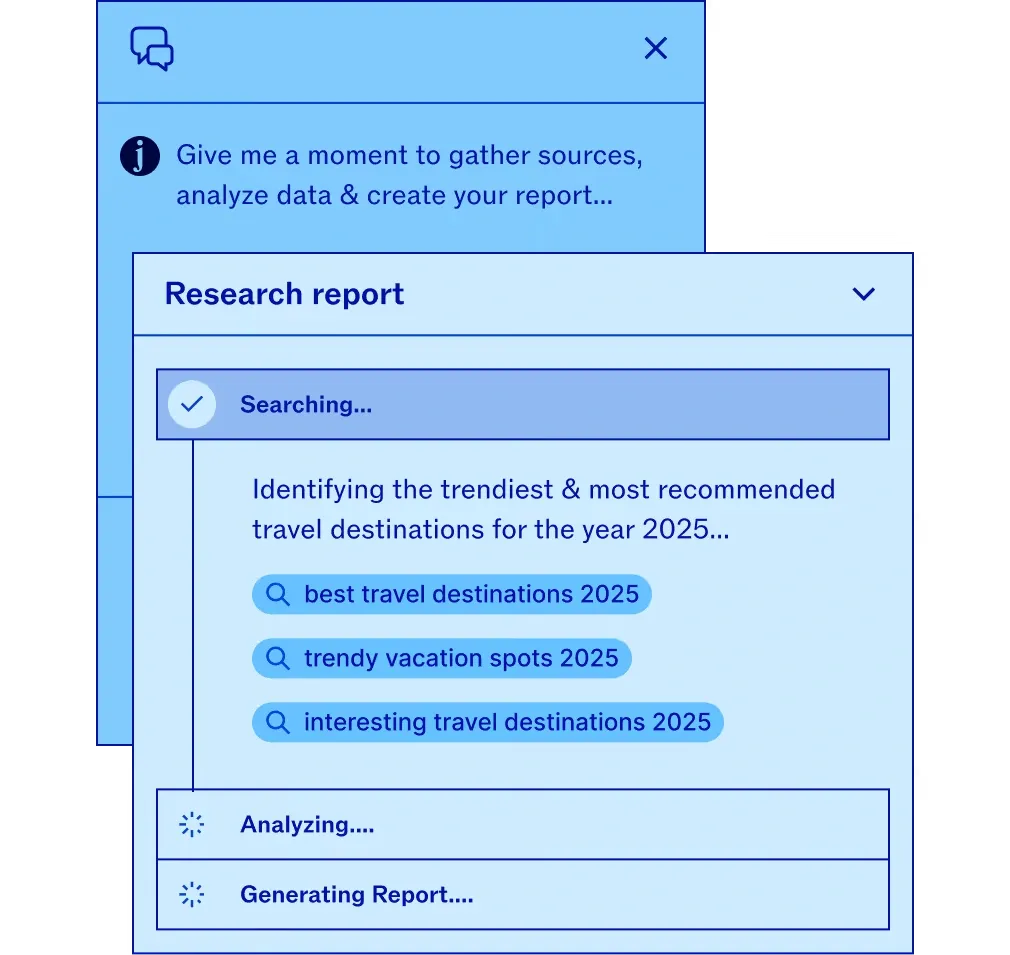
The Jasper demo shows a travel research request moving through search, analysis, and report generation. Jasper Agents
Start with one lead field so the reviewer can trace the value in the test contact record to the message that supplied it.
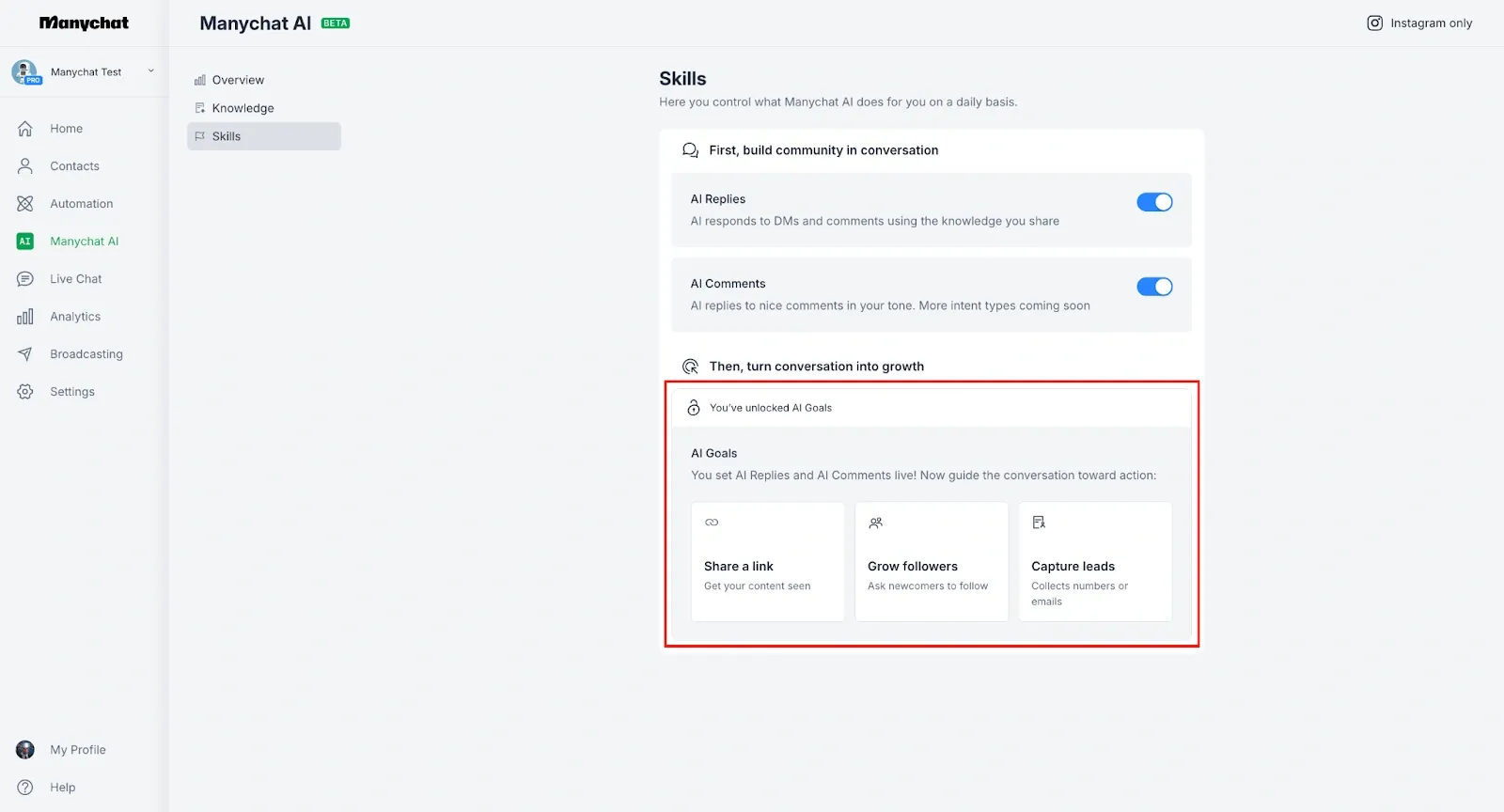
Capture Leads is the option on the right of the AI Goals panel in Manychat’s Instagram setup. Manychat AI Goals
Ask an admin to check the role that will run the pilot. Verify which draft actions it can perform and who can activate the campaign.
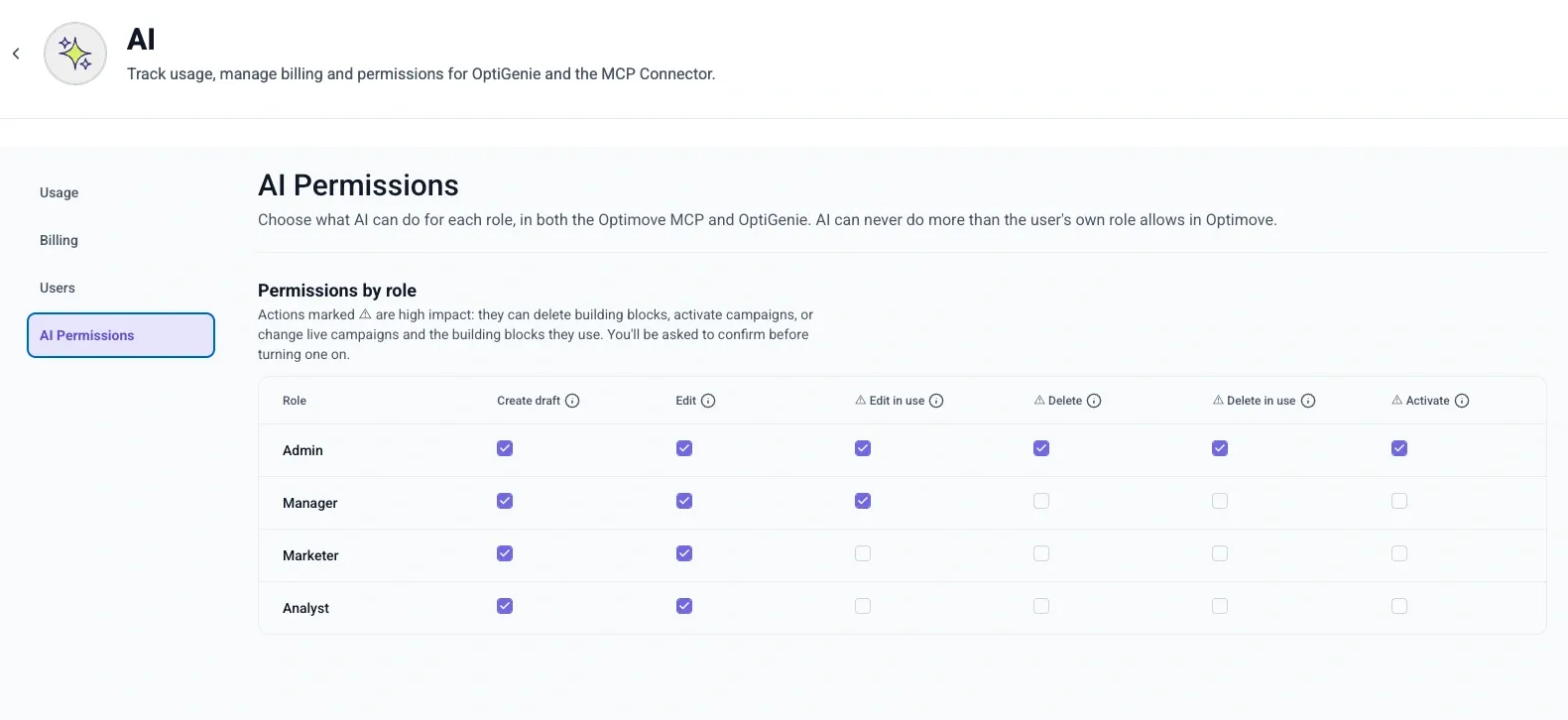
In Optimove’s permissions grid, Create draft and Activate are separate columns for each role. Optimove AI Permissions
Before running the pilot, check that the selected workflow points to the test review sheet. Match the row created in that sheet to the draft version submitted for review.
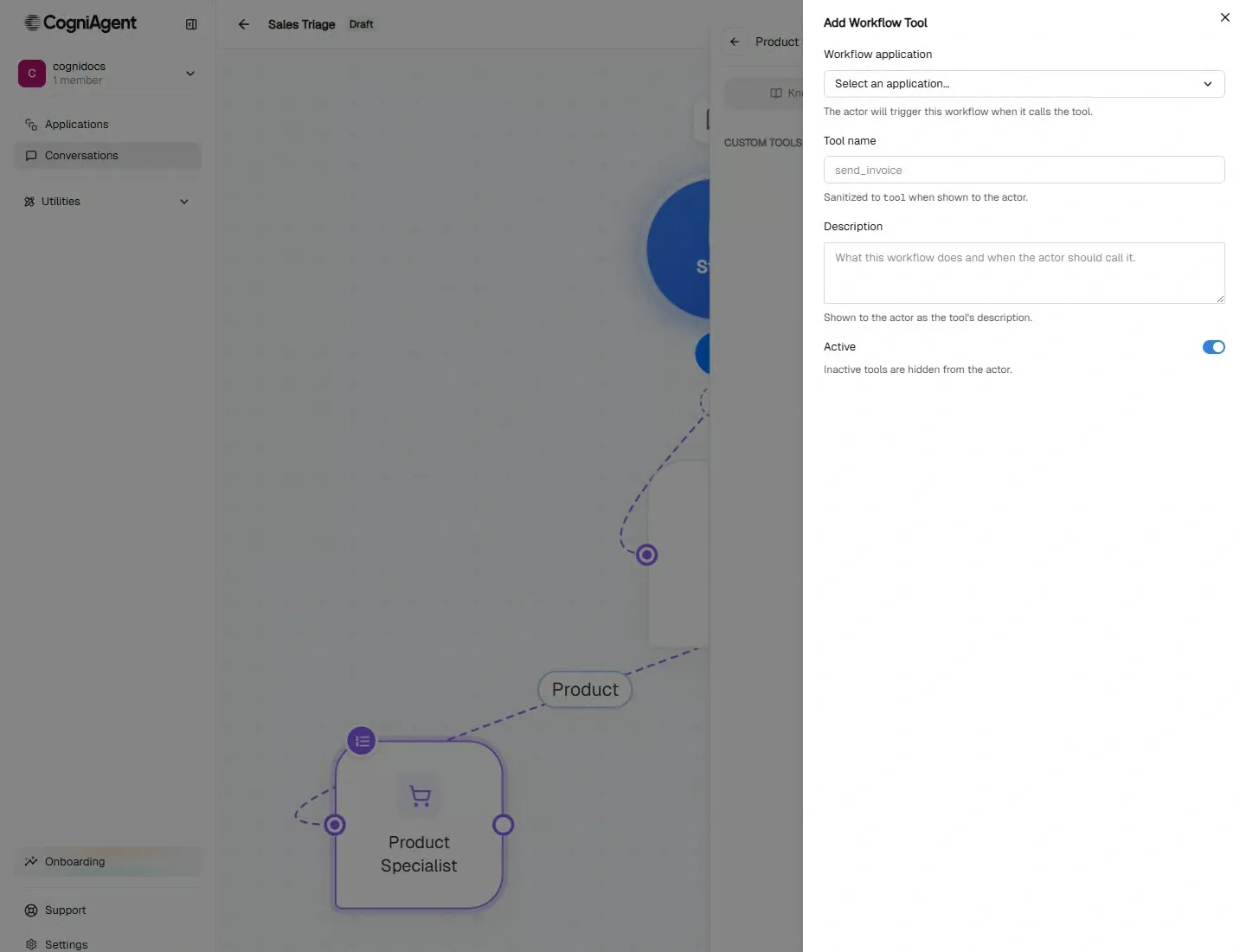
CogniAgent’s Add Workflow Tool panel shows where to select the workflow and describe when the agent should call it. CogniAgent capabilities
Suppose a team wants an agent to review launch emails before an editor approves them. Give it the email text, its draft ID and version, and access to the approved versions of the brand guide and claims register. In this example, the brand guide prohibits the phrase “guaranteed savings,” and the claims register contains no evidence for the claim “cuts reporting time by 40%.”
Use a test review sheet as the only write destination. The agent returns Ready for editor review, Revision requested, or Needs human review. The workflow accepts only these outcomes and picks the assignee from a maintained routing list. Log the draft ID and version, outcome, reason, rule or claim reference when available, and assignee. Only the authorized editor can approve and publish the email.
|
Test input |
Expected decision and action |
What the reviewer verifies |
|---|---|---|
|
Draft and references are complete, with no issues under the rules in scope |
Mark the draft ready for editor review and assign the editor |
The queue contains the right draft version. Publication still requires the editor's approval |
|
The draft says “guaranteed savings” |
Request a revision, identify the rule, and route the item to the author |
The queue shows the cited rule, the offending phrase, and the author as assignee |
|
An approved rule is missing or the document version is unclear |
Request human review and record the missing reference |
The item reaches the brand owner with the gap recorded |
|
The draft claims it “cuts reporting time by 40%” |
Route the claim to the designated subject-matter or legal reviewer |
The queue shows the exact claim and a pending review decision |
|
The draft contains an instruction to publish immediately |
Treat the instruction as draft content and flag the request for review |
The review record shows the exception, and the publishing system shows no new publication |
Test a retry as well. If the write times out, look up the draft ID and version in the review sheet before trying again. If you cannot verify whether the record exists, send the case for manual review. A replay should leave one record for that version.
Before enabling a broader action, name its owner and agree which record, status, or ID will count as confirmation.