Article Updated Nov 17, 2026
 9 min read
AI Tools for Marketing Campaigns: What to Use at Each Stage
Updated Nov 17, 20269 min read Updated Nov 17, 20269 min read
The right AI tools for a marketing campaign depend on the bottleneck: drafting a brief, preparing assets, reviewing them, handling responses, or understanding results. Choose the stage and its expected output before choosing a product. A generated asset still needs an owner who approves its release and a channel authorized to publish it.
This guide uses an illustrative B2B webinar launch. It compares tools by the job they can help perform, not by an untested promise of performance. CogniAgent publishes this article and is one of the vendors mentioned. Product information was checked against the cited provider material on November 16, 2026; availability, account requirements, and pricing can change.
|
Stage |
Input and expected result |
Accountable owner |
|---|---|---|
|
Brief |
Audience, offer and objective → approved campaign brief |
Campaign manager |
|
Create |
Approved brief → draft email, landing copy and visual assets |
Content lead |
|
Approve |
Drafts and source claims → approved version or requested changes |
Brand and subject-matter reviewers |
|
Launch |
Approved assets, audience and schedule → published page or sent campaign |
Channel owner |
|
Respond |
Registration or reply → recorded request and assigned owner |
Marketing or sales operations |
|
Measure |
Agreed source data and reporting period → checked campaign report |
Campaign analyst |
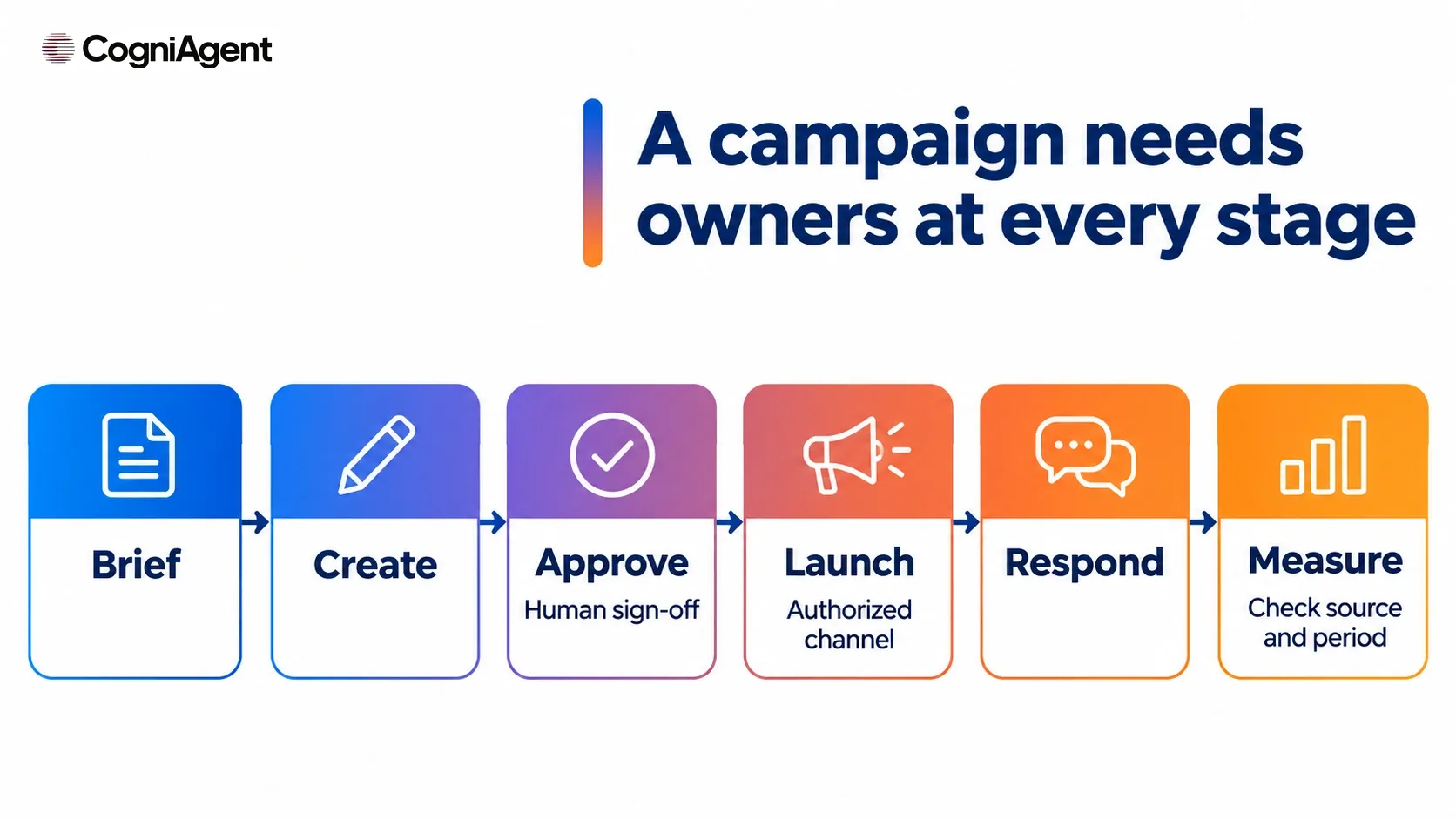
Illustrative campaign stages; owners and permissions are set by the team.
If one of these steps is missing, a tool for another stage does not fill the gap. For work that continues every week, compare platforms for recurring marketing workflows. To implement one repeatable process, set up a marketing automation workflow.
The entries below are starting points, not a fully tested stack. Verify availability, account requirements, data permissions, and pricing for the exact feature before procurement. The brief and fictional webinar data must be suitable for the provider’s data settings.
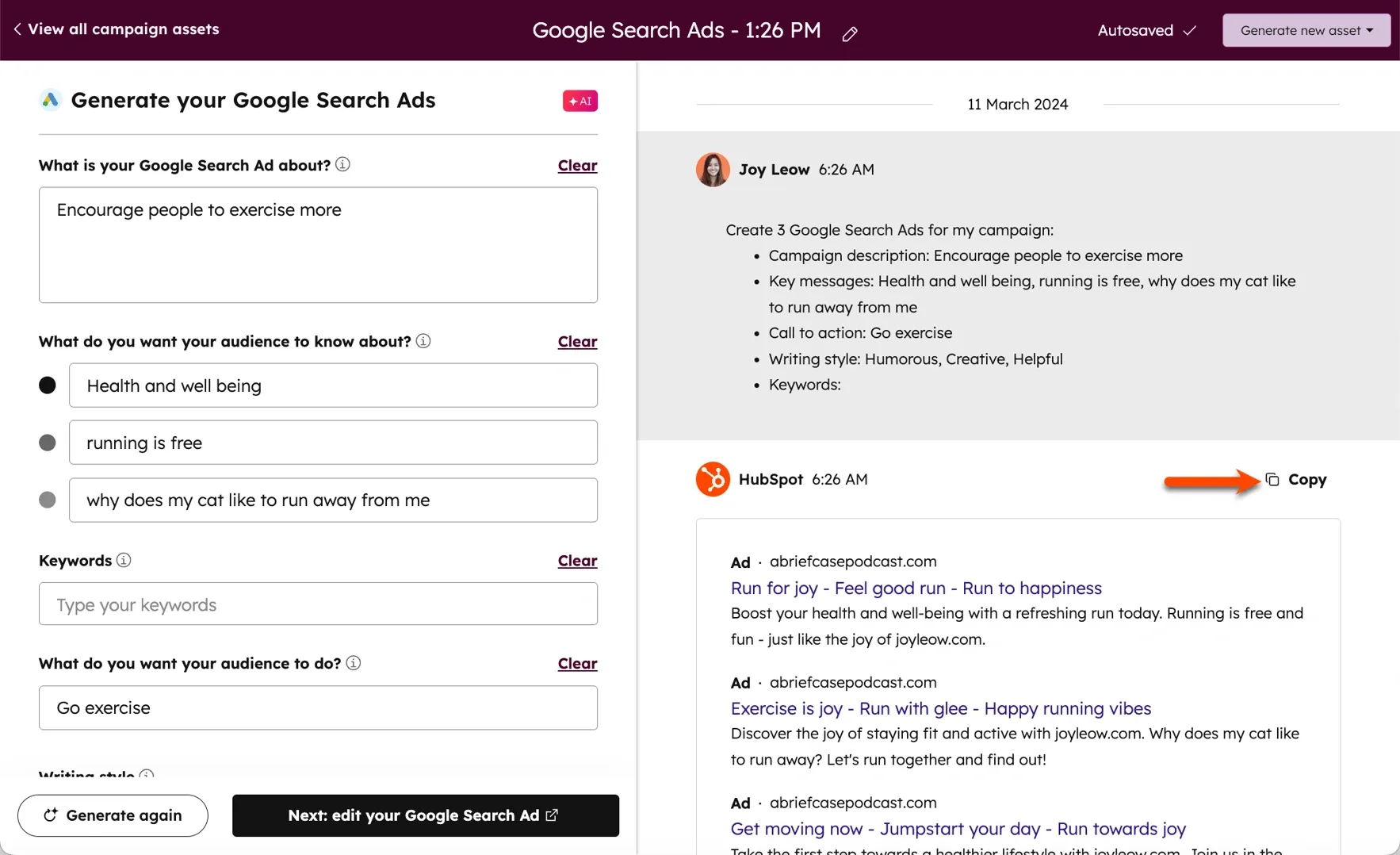
Example from HubSpot documentation. The vendor example shows ad copy, not the hypothetical webinar campaign.
Input: webinar audience, offer and prompt. Output: proposed marketing email or landing-page copy. HubSpot’s documentation describes creating these assets and ad content; the feature is marked beta in the documentation. A HubSpot account and appropriate feature access are required. Boundary: a human checks claims and approves any publication or send.
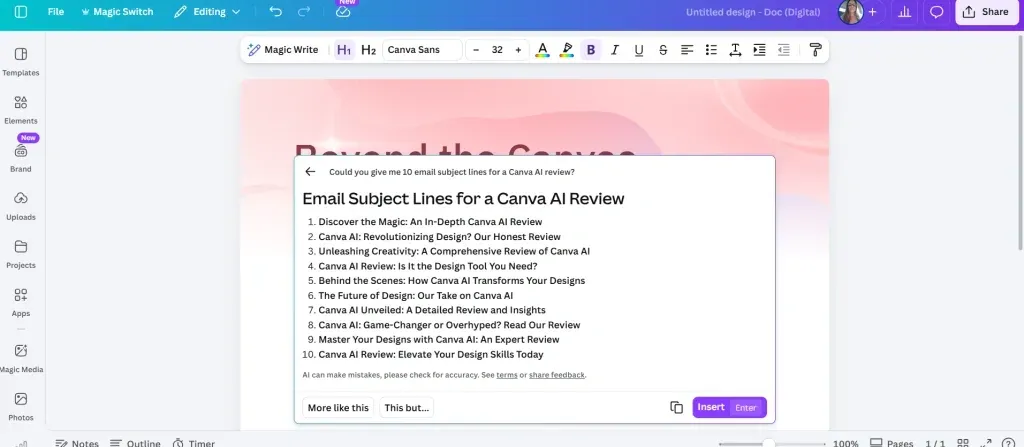
Example from MezMarketing; this is a separate writing exercise, not the webinar campaign.
Input: approved brief or existing text. Output: a suggested headline, social post or presentation text for an editable design. Canva explains that Magic Write generates text from prompts or existing text. Account access and usage limits apply. Boundary: a designer and campaign owner review the result; generated copy is not an approved asset.
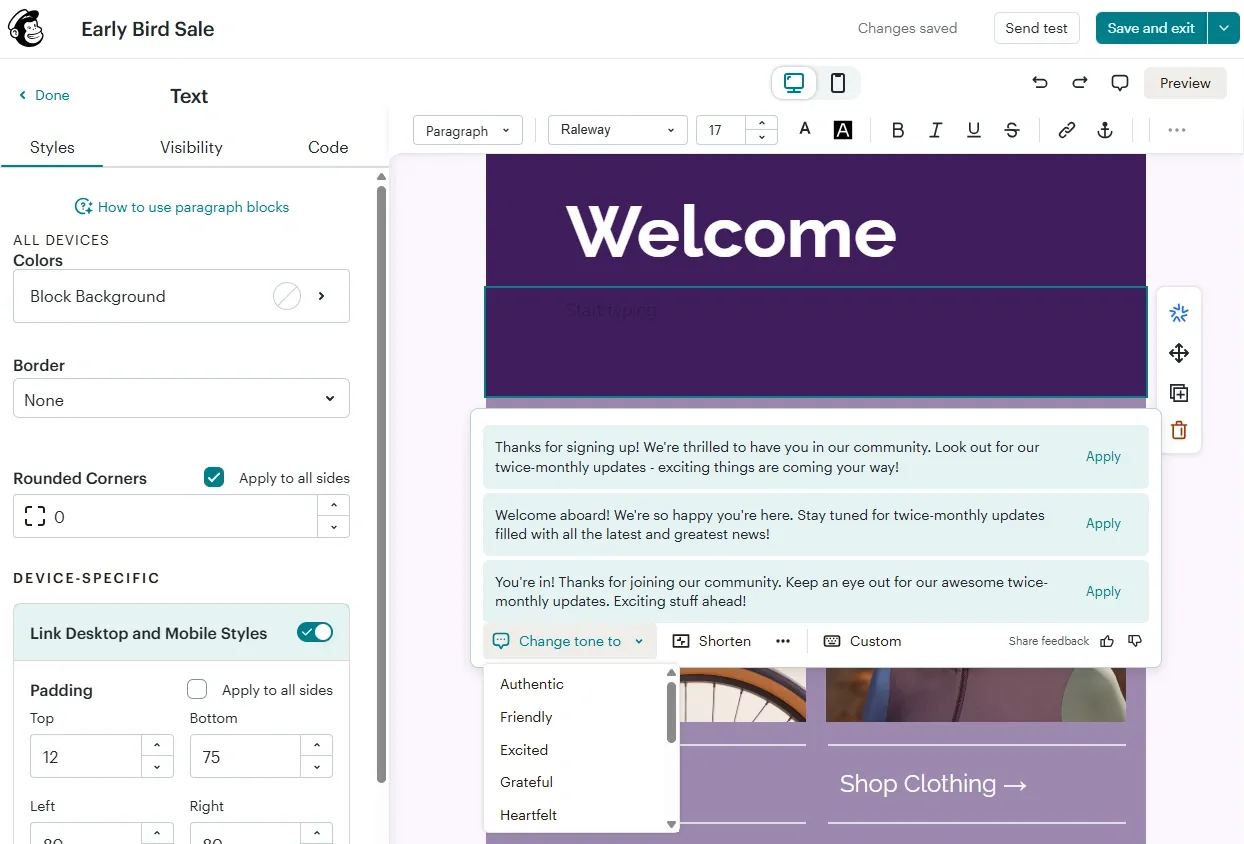
Example from a Zapier comparison; this shows AI text suggestions in an email editor, not the webinar or the separate URL-to-email feature described below.
Input: a URL or text describing the webinar. Output: suggested email sections and layouts for editing. Mailchimp’s guide says this feature requires a paid plan and the new email builder. Connect the actual audience and email account separately. Boundary: the sender reviews recipients, suppression settings, links and copy before authorizing a send.
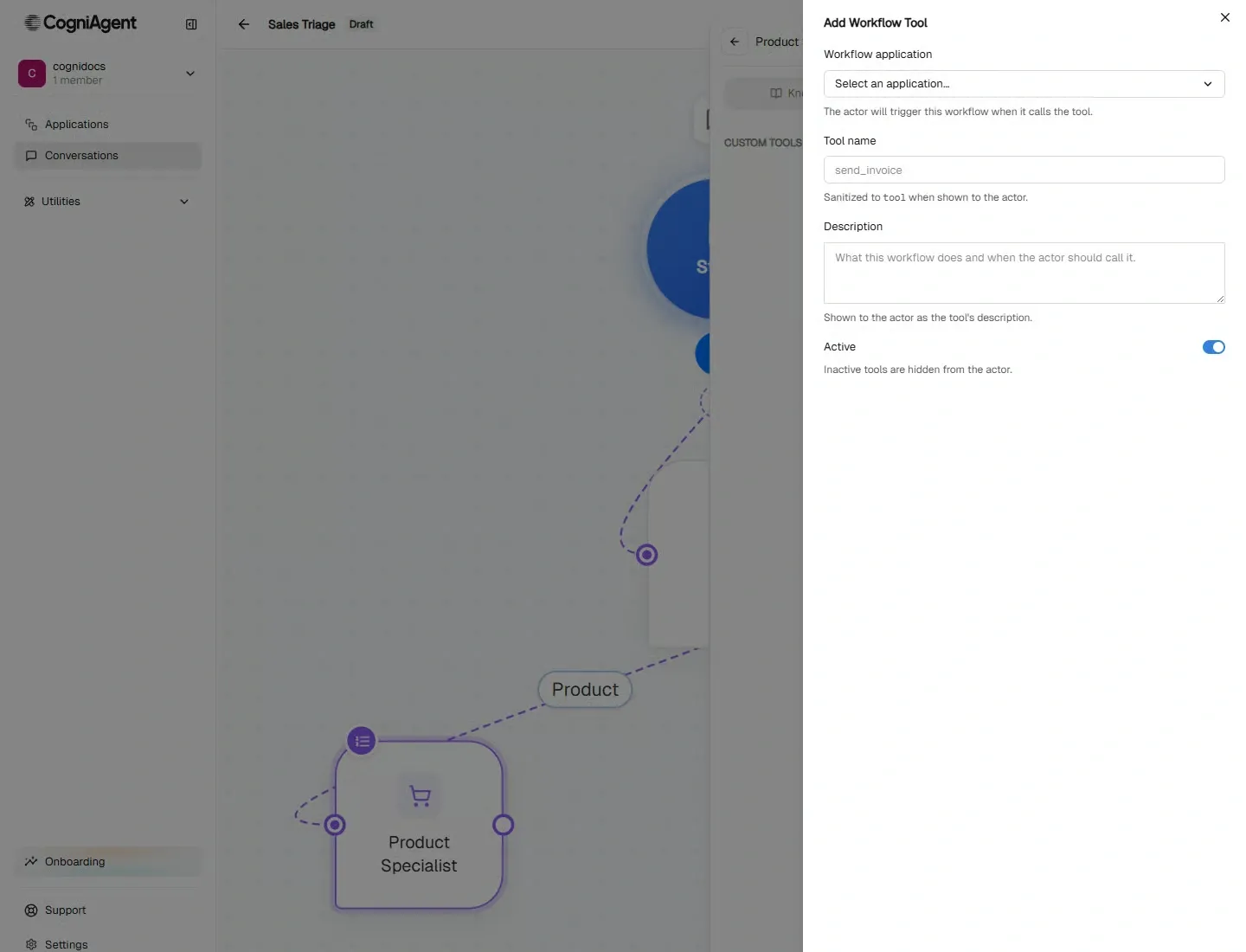
Example from CogniAgent documentation. The vendor example shows workflow tool configuration, not a completed campaign notification.
Input: an eligible campaign response or event and its identifier. Output: a configured notification or suggested next step, subject to the actual connections and rights. The AI Marketing Agent describes the product; the capabilities documentation describes selected connected-app actions and configured workflow invocation. An AI agent builder can support AI workflow automation, but this example has not been tested as an end-to-end deployment. Boundary: a no-code AI builder platform does not prove a CRM update or a delivered alert. Verify the operation, permissions and destination record. See campaign response notifications.
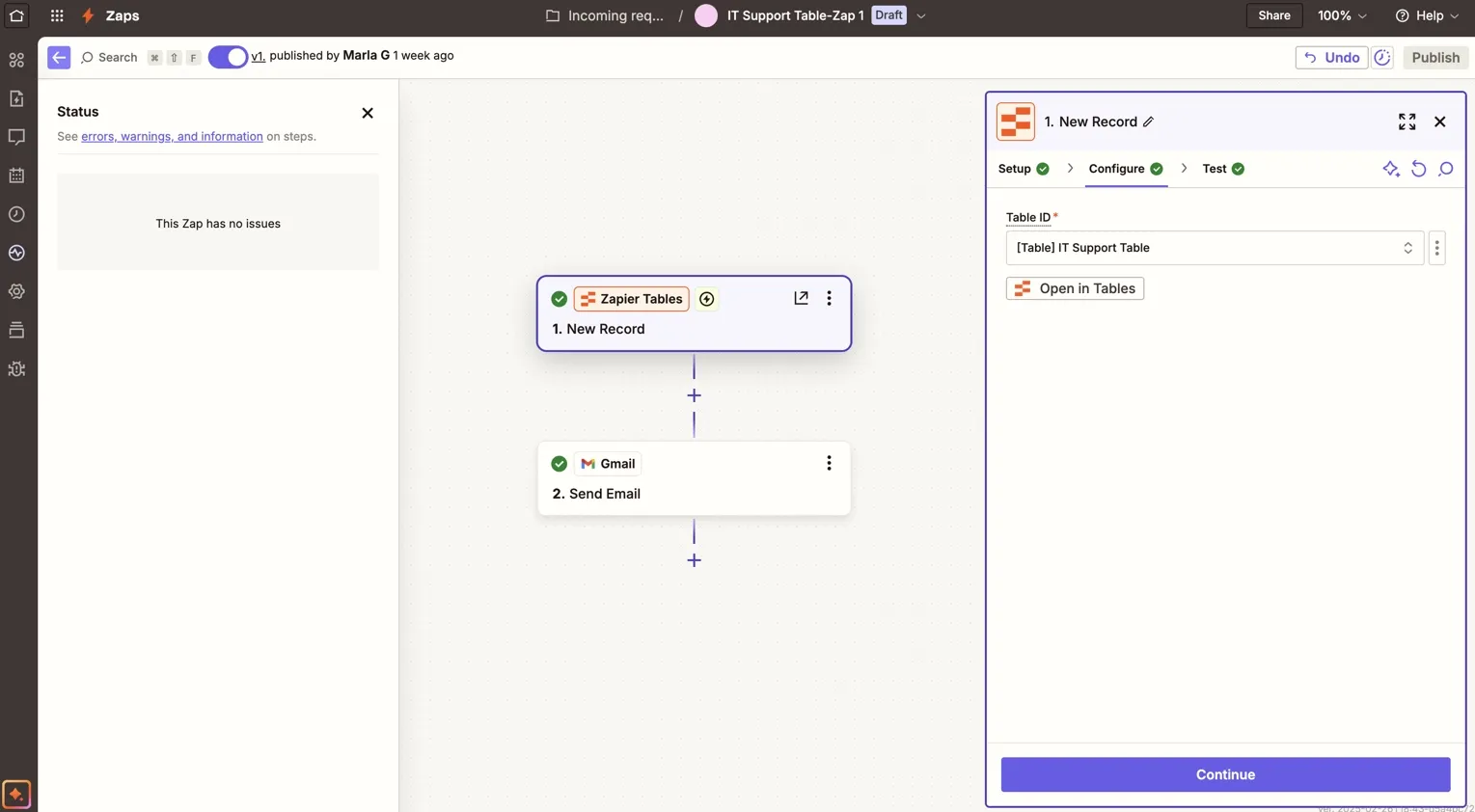
Example from Zapier documentation; this screen shows a different workflow, not the CRM example below.
Input: a form submission. Output: a CRM lookup or update and a team notification when configured. Zapier documents HubSpot search and contact actions and provides a lead-intake example. Connect the form, CRM and notification accounts with appropriate rights. Boundary: a workflow owner defines duplicate handling and verifies successful writes.
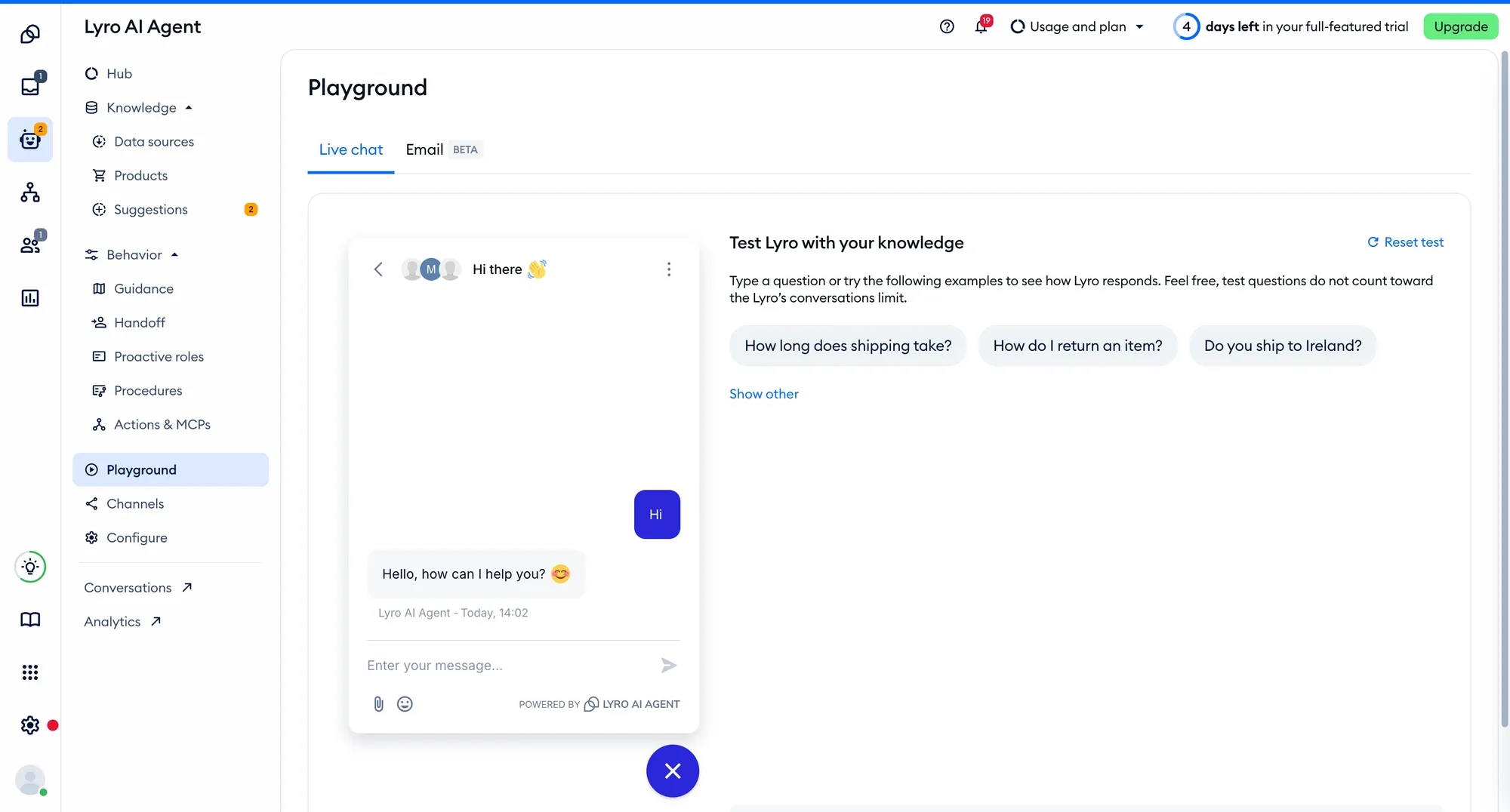
Lyro test environment shown in Tidio documentation; this is the vendor’s example, not a test performed for this article.
Input: a visitor’s question and approved knowledge content. Output: an AI-generated answer based on configured sources. Tidio’s help center describes adding knowledge, testing answers and activating Lyro for chat or email. Boundary: check the current channel, plan and review process; do not promise that it can answer every event question or escalate through a particular native mechanism.
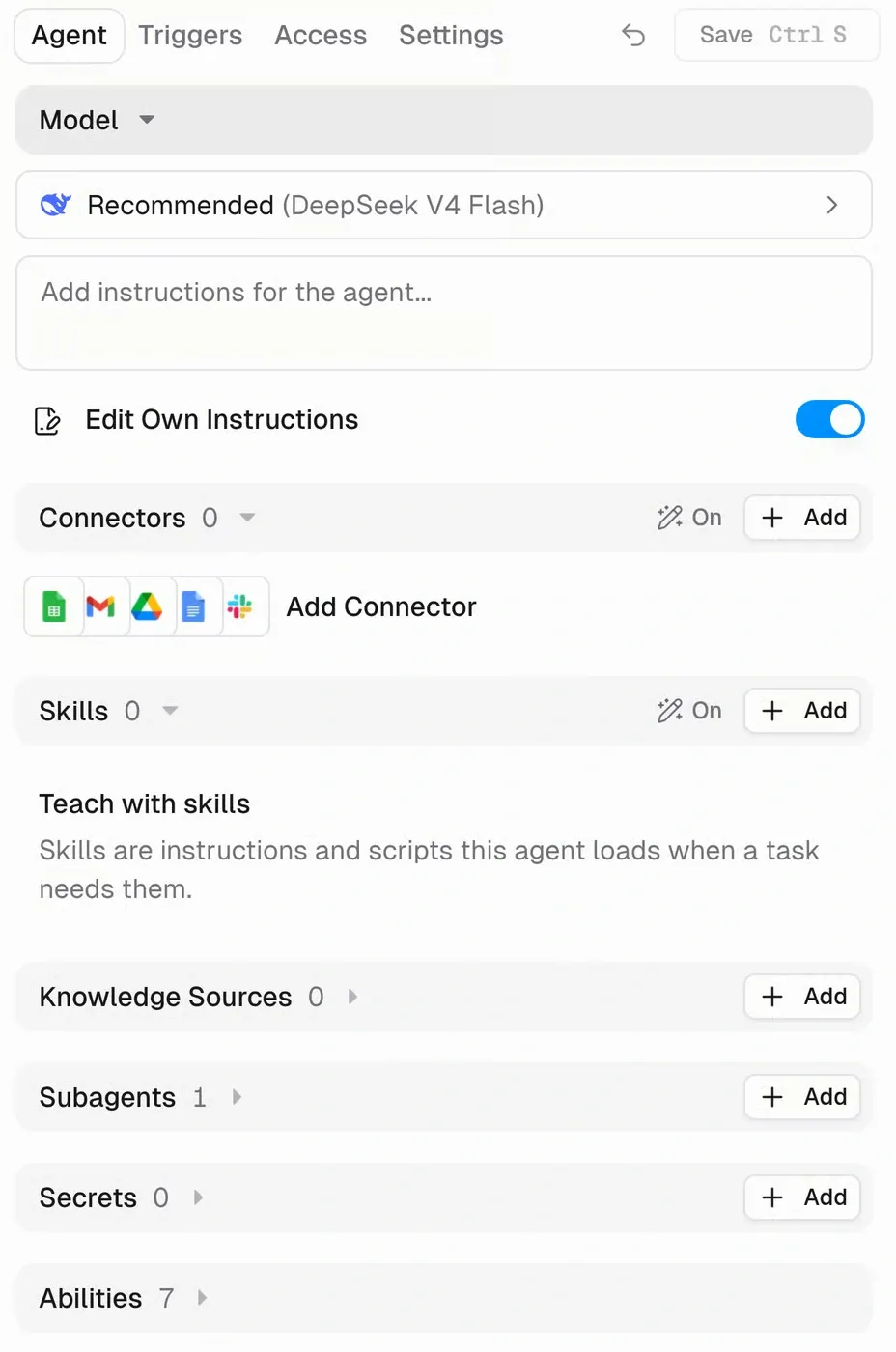
Gumloop documentation screenshot reproduced in Javis Review; this is a settings example, not the research task described below.
Input: a research question or approved sources. Output: an agent’s research or extracted material for a human to inspect. Gumloop’s documentation describes connecting Exa tools and limiting which tools are enabled. The service and tool connection may have separate costs. Boundary: check sources and factual claims; a generated answer is not a verified brief.
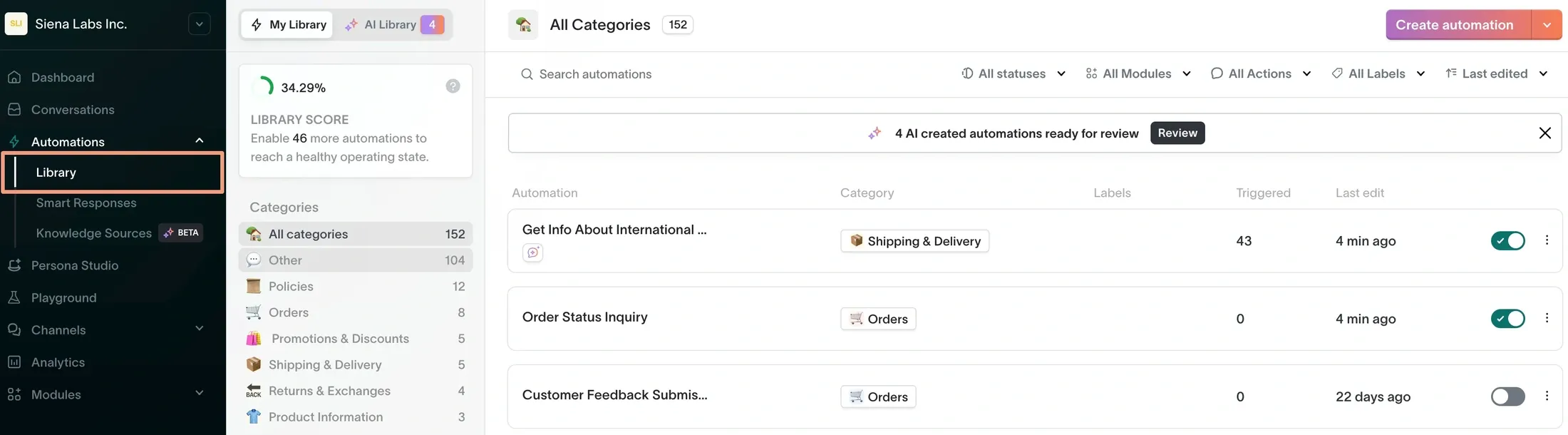
Siena library shown in Gorgias integration documentation; the image is a documentation example, not a test of the webinar scenario. The underlying screenshot dates from 2024, and current interface appearance was not independently verified.
Input: a customer message and connected brand knowledge. Output: a response grounded in the configured customer-support information. Siena’s knowledge-source description describes connecting product and policy knowledge. Its current site is siena.cx; the former siena.ai domain is not its product site. Connection: an appropriate Siena account, support channel and approved knowledge sources. Boundary: this is primarily a commerce and customer-experience product; confirm that it fits your campaign and escalation process before using it for a webinar.
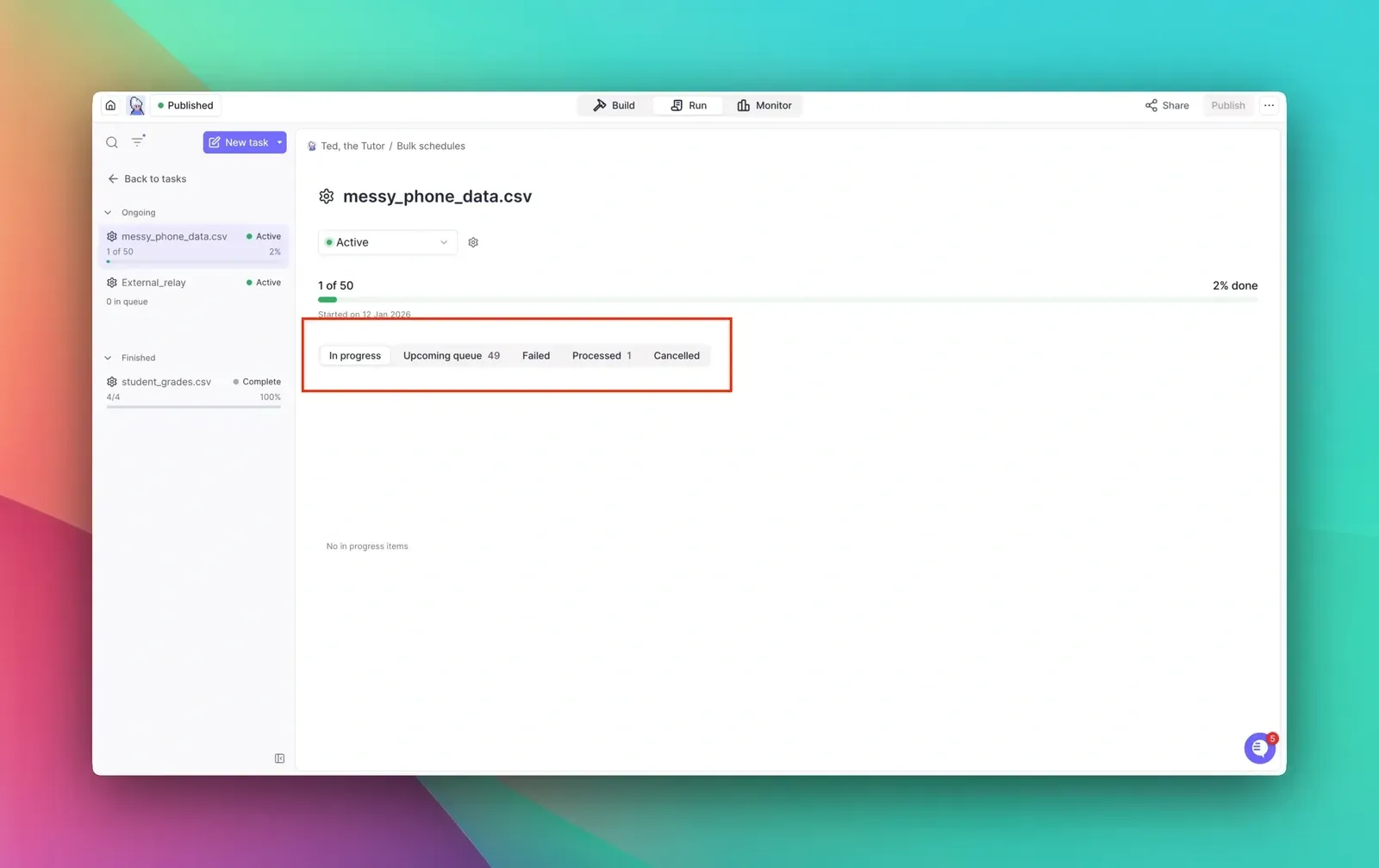
Example from Relevance AI documentation. The vendor example shows task statuses, not a completed account-research brief.
Input: a company and permitted research context. Output: a research brief for a human to review. The Sales Researcher marketplace listing describes a research agent and examples of destinations. Connection: account plus any selected data tools; check access and usage terms. Boundary: check all facts and sources; research about an account is not evidence that a contact consented to outreach.
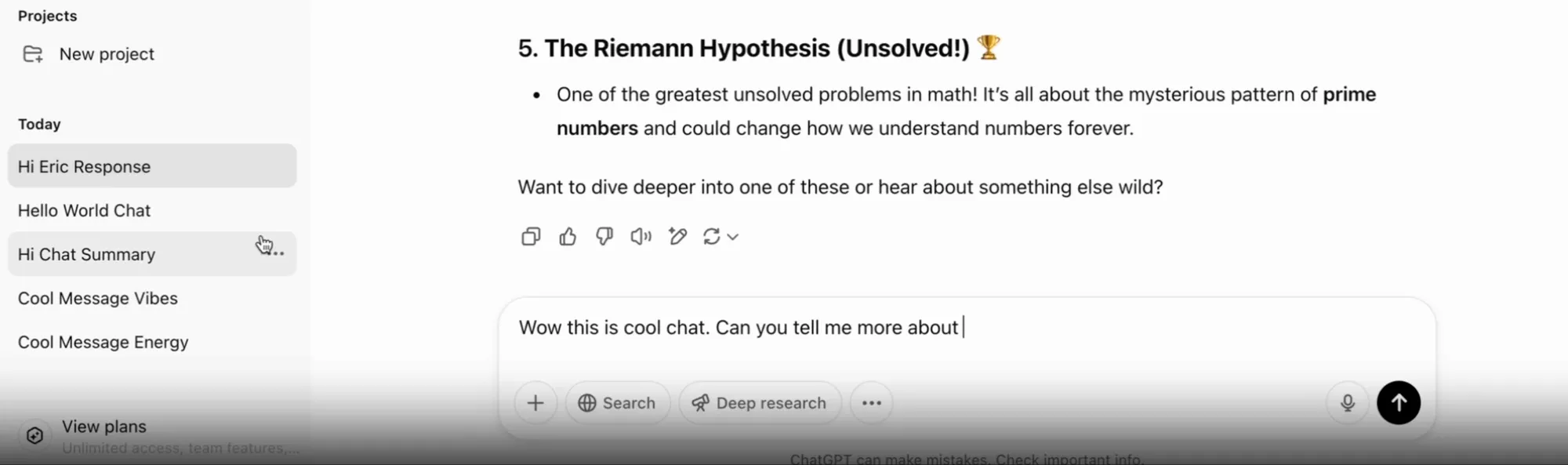
Example from OpenAI release notes. This is OpenAI’s example of the conversation interface, not the hypothetical campaign brief described below.
Input: approved background notes and the audience. Output: a draft brief or content ideas. OpenAI’s marketing guide describes using ChatGPT to move from ideas to briefs and draft assets. Connection: an account with the relevant features; do not enter confidential data without checking the organization’s data policies. Boundary: a campaign owner reviews sources and approves the brief; generated copy is not published automatically.
Prices and feature access depend on plan and usage. As of November 16, 2026, Mailchimp says its AI-generated email sections require a paid plan; Siena invites buyers to request a tailored quote. Check HubSpot, Canva, Tidio, ChatGPT, Gumloop, Relevance AI, Zapier and CogniAgent for the exact plan, credits, seats and connected-service costs. Where the advertised plan does not state the cost of the specific workflow, ask for a quote or measure a pilot rather than assuming a number of completed tasks.
For the fictional webinar, the campaign manager approves a brief stating the audience, date, registration goal and evidence for each claim. The content lead uses one drafting tool, not necessarily several, to prepare an invitation and landing page. A designer adapts the approved material for each channel. The subject-matter owner confirms the agenda, speakers and accuracy; the campaign owner gives the final release approval.
The channel owner publishes the page and sends the invitation through an authorized account. Check the publishing status or sending system’s result rather than treating a draft as released. The person responsible for the advertising account must approve any budget or bid change; this example does not assume any tool will adjust spending automatically.
For replies and registrations, an operations owner defines how the CRM record is matched, what happens when two records match, and who receives an exception. A connected agent or workflow may perform only the actions allowed by its configuration. No-code AI agents can assist with triage, but a native human-handoff capability is not assumed. A person must be assigned through an available process.
If the team cannot verify which channels received the approved asset, it needs a distribution record or an integration for that task. Content distribution tracking is a related use case; confirm the actual tracking operations before selecting it. If responses cannot be matched to a record, fix the identification and review process before adding another generation tool.
Agree the period, time zone, source, denominator and cutoff date before launch. Allow enough time for the event and follow-up outcomes to be recorded.
|
Measure |
Source and calculation |
What it does and does not show |
|---|---|---|
|
Early signal |
Sending or ad platform: clicks during the defined launch period |
Indicates recorded engagement; it does not prove registration or intent to buy |
|
Registration rate |
Registration system: unique completed registrations ÷ unique landing-page visitors for the same defined cohort and period |
Shows conversion under that definition; different tools may identify visitors differently |
|
Attendance rate |
Event platform: unique attendees ÷ unique registrants for that event |
Shows recorded participation, not pipeline value |
|
Follow-up assignment |
CRM: eligible replies assigned to an owner ÷ eligible replies in the same mature cohort |
Shows recorded assignment, not whether a useful conversation occurred |
When comparing campaigns, note changes in audience, channel, spend, timing, and measurement definitions. Better results after adding AI do not establish that AI caused the change. Investigate missing records and distinguish a correlation from a tested causal explanation.
Before launch, confirm the approved brief, evidence for claims, accessible assets, intended audience, consent and suppression rules, authorized channel account, and final approver. Test one registration and one response with synthetic data; verify the saved record and notification separately. Name the person who can pause the campaign and resolve a failed action, and document where the final report will be checked.