Article Updated Nov 04, 2026
 11 min read
Cleaning Appointment Reminders: What to Confirm Before Every Visit
Updated Nov 04, 202611 min read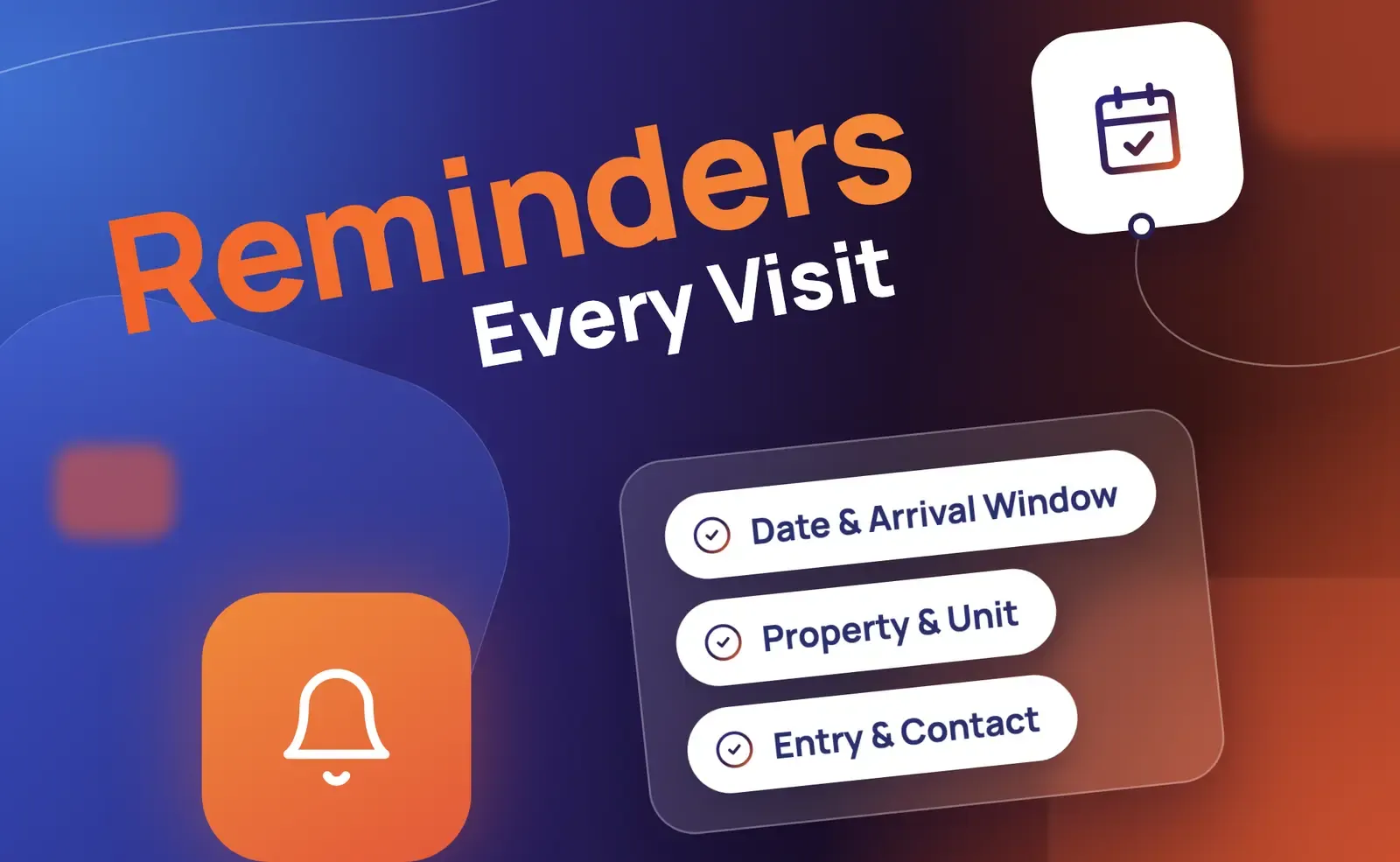 Updated Nov 04, 202611 min read
Before a cleaning visit, confirm the date and arrival window, the right property, the booked service, the agreed entry arrangement, and any changes the team needs to know. Start with the current booking record and ask again only when a detail is missing or has changed.
A reminder is for an already scheduled visit. It has a different purpose from a cleaning service intake checklist, which gathers an initial request, or a cleaning quote follow-up, which follows a proposal before the customer decides.
Use this checklist to decide what belongs in a particular reminder. You do not need to ask all eight questions every time: confirm what is already known and add a specific question only when the answer would change how the team prepares.
|
Detail |
What to confirm |
Ask only if |
When staff should review |
|
Date and arrival window |
The scheduled date and agreed time or window |
The timing is unclear or may have changed |
The customer requests a different time or the record conflicts with another source |
|
Property and unit |
The correct address, unit, floor, or site reference |
The team needs a missing identifier or the customer reports a change |
The location is uncertain or differs from the booked property |
|
Service and scope |
The agreed cleaning service and areas |
The customer has requested something different |
A deep clean, oven, extra room, or other addition could change the work, duration, or price |
|
Entry and on-site contact |
Who will meet the team or the agreed entry arrangement |
The current arrangement is missing or has changed |
No practical access arrangement has been agreed |
|
Parking and building access |
Applicable visitor registration, parking, elevator, or building requirements |
The property has relevant restrictions |
A pass, registration, or other arrangement is unresolved |
|
Pets, occupancy, and preparation |
Conditions the team needs to perform the agreed work |
Relevant information or an approved preparation instruction has changed |
A new condition affects access or the team’s ability to carry out the service |
|
Materials and special requirements |
Previously agreed supplies, equipment, and rooms in scope |
The customer asks to change an arrangement |
Specialized or disputed work needs a decision |
|
Recurring or commercial context |
The specific visit date, site contact, and applicable access arrangements |
The visit is part of a series or has site-specific requirements |
A change may affect more than one occurrence, or after-hours access is uncertain |
An arrival window is not a precise arrival prediction. If a customer was booked for 9:00–11:00, repeat that window rather than promising an exact arrival time. Include a time zone where leaving it out could cause confusion.
For entry details, ask who will meet the team or whether the agreed arrangement has changed. Do not request alarm codes, passwords, or a key’s location in an ordinary reminder. If sensitive access information must be shared, use the company’s approved method.
Preparation instructions should come from the company’s current policies, not an assumed rule for every property. A company knowledge base can hold approved instructions; the current visit’s date, address, and status should come from the booking record. When a pre-visit detail is missing, a separate process to collect job information can help identify what the team needs.
Choose a schedule that fits your booking process and customers. One illustrative sequence is an initial confirmation after the appointment is created, followed by a reminder at the company’s chosen interval before the visit. Sending a reminder the day before is one possible setting, not a universally proven best time. An additional contact may be appropriate when a specific access question remains unresolved.
Before another message goes out, check the current date, booking status, and latest reply. Stop or revise a scheduled reminder if the visit was cancelled, moved, confirmed, or placed into an individual review process. If a visit is rescheduled, recalculate the next reminder from the new appointment rather than continuing the old sequence.
For a booking created inside your usual reminder window, avoid sending several catch-up messages close together. Decide in advance how your team will handle no response and set a contact limit. Silence is neither a confirmation nor an automatic cancellation unless the company has a rule and process for that outcome.
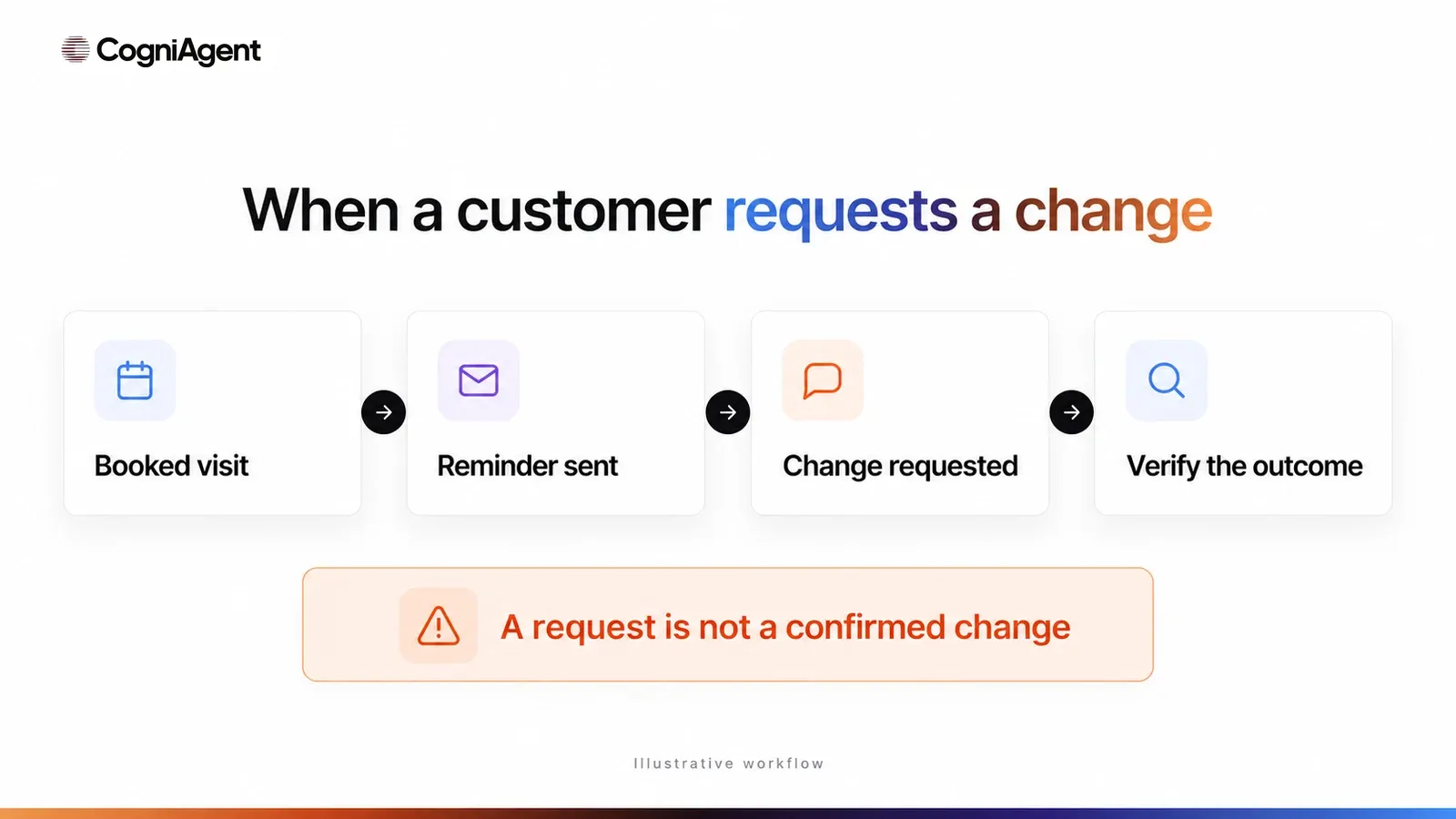
Consider the difference between these states: an appointment is booked, a reminder is sent, the customer replies, and a requested change awaits review. The appointment changes only when the permitted process actually updates the record. A reminder alone does not update the schedule.
The examples below are alternatives for different situations, not a sequence to send to every customer. Replace the bracketed fields with the appropriate information from the current booking; they are editorial placeholders, not CogniAgent syntax. Use the company’s approved channel and contact rules.
Use when: The visit is scheduled and you want to confirm the existing details.
Channel: Email.
Subject: Your cleaning visit on [Date]
Hi [First name],
This is [Company] confirming your [Service] at [Property reference] on [Date], with an arrival window of [Arrival window].
Please reply to confirm the visit or let us know if any details have changed.
Thank you,
[Company]
Check before sending: Confirm the recipient, current date and window, service, and property reference. Avoid exposing more address information than the channel requires.
Use when: A concise reminder is appropriate and a suitable text-messaging channel is configured.
Channel: SMS or another approved text channel.
Hi [First name], this is [Company]. Your cleaning visit is scheduled for [Date], [Arrival window]. Please reply to confirm or tell us if something has changed.
Check before sending: Verify the contact details and company messaging rules. The email/calendar template discussed below should not be assumed to send SMS.
Use when: The appointment is booked, but the team does not know who will meet them.
Channel: Email or an approved text channel.
Hi [First name], for your [Date] cleaning visit, could you let us know who will meet our team at the property? If the entry arrangement has changed, please tell us and we’ll follow up.
Check before sending: Confirm that the information is not already in the current record. Do not ask for passwords or access codes in the message.
Use when: The customer requests a different date, access arrangement, or service scope and the team has not yet approved the change.
Channel: Email or an approved text channel.
Hi [First name], thanks for letting [Company] know about your requested change to the [Date] visit. Our team will review it and contact you with the next step. The change is not confirmed yet.
Check before sending: Make sure the request is recorded against the right visit and a team member has an established way to review it. Do not name a new time or price as agreed.
Use when: An authorized change has actually been recorded and confirmed by the company.
Channel: Email or an approved text channel.
Hi [First name], [Company] has confirmed your updated cleaning visit for [Date], [Arrival window], at [Property reference]. If another detail changes, please reply and let us know.
Check before sending: Verify the updated booking record and that the team can deliver the revised visit. Do not use this message for a request that is still pending.
The table below describes suggested operating rules, not actions automatically performed by every agent. Adapt them to the company’s permissions and policies.
|
Customer reply |
Next step |
What happens to reminders |
|
Confirms the visit |
Record the response against the correct appointment |
Stop unnecessary requests for confirmation |
|
Requests a different time |
Review the request or use an authorized, verified rescheduling process |
Pause reminders tied to the old time; recalculate after a confirmed change |
|
Requests cancellation |
Follow the company’s cancellation process and distinguish the request from a completed cancellation |
Pause reminders while the outcome is checked; stop them once cancellation is recorded |
|
Changes the scope or entry arrangement |
Give the relevant details to the responsible team |
Pause generic messages that conflict with the pending review |
|
Gives an unclear answer |
Ask one specific follow-up question or send the case for review |
Do not also send a standard no-response reminder |
|
Does not respond |
Apply the agreed contact limit and manager review process |
Follow the chosen cadence; do not assume confirmation or cancellation |
For a recurring service, identify whether the customer means this visit or the whole series before making a change. A message about one Wednesday appointment should not silently cancel every future visit.
Residential example: The record already has the apartment and arrival window, but the customer says they will no longer be home. Ask what entry arrangement they want to agree on for that visit. There is no need to repeat the original questions about the apartment’s size or service frequency.
Commercial example: An evening office cleaning is already booked. The manager needs to verify who can let the team in, whether visitor registration applies, and who is the on-site contact. Confirm that the event is a cleaning visit, not an earlier walk-through or estimate meeting. These examples illustrate how to select the relevant questions; they are not customer cases.
CogniAgent is a no-code AI builder platform with different starting points for appointment conversations. The two public template descriptions below serve different workflows; neither should be treated as a tested configuration for your cleaning business.
|
Starting point |
Channel and inputs |
What it does with changes |
What to verify for cleaning |
|
Outbound voice call using the customer number and appointment details supplied at launch; summary sent by email |
The public description says reschedule and cancellation requests remain pending team confirmation; it does not move the booking |
Correct customer and visit, calling setup, summary delivery, who reviews a request, and how the booking is updated |
|
|
Email workflow described with Gmail, Google Calendar, and Google Sheets |
The public description includes confirm, rebook, and cancel responses and calendar changes |
Correct event and customer, permitted calendar actions, cancellation scope, duplicate handling, and staff review for exceptions |
The generic voice template’s emailed summary is a notification, not proof that a staff member has accepted the task. The separate email/calendar template describes calendar updates, but an open calendar slot alone does not prove that a suitable cleaning team is available, has the right equipment, or can reach the property on time. Check those constraints before allowing an automatic change.
Configure the actual connections, permissions, record matching, and contact rules for the selected process. A connected application does not establish that every desired action is available or authorized. Test both a straightforward confirmation and the cases that need review before contacting customers.
Start with a limited test and inspect both the message and the underlying record:
Use the broader checklist to test an AI agent before launch. A sent message, delivered message, customer reply, and completed booking change are different outcomes; track them separately where the channel and systems provide the evidence.
For example, measure the share of messages confirmed as delivered among those sent, responses and confirmations among confirmed deliveries, changes completed versus awaiting review, and stale or duplicate reminders. If you track no-shows, first define which scheduled visits count and use actual visit records. A before-and-after change alone does not prove that AI caused it.
Agree on the reminder fields and change-review process, choose a suitable starting point, and run a limited test. For the wider service workflow, explore the AI receptionist for cleaning companies.