Article Updated Oct 30, 2026
 11 min read
Cleaning Staff Screening Questions: A Practical Template for AI Recruiting
Updated Oct 30, 202611 min read Updated Oct 30, 202611 min read
A first screening conversation should leave your hiring manager with a clear record of a candidate’s experience, availability, and questions about the vacancy, not assumptions about their reliability. An AI assistant can help collect and organize responses, but a candidate’s statement is not a verified qualification or a hiring decision.
The editable question bank below includes follow-ups and review notes. Choose the questions that fit the actual role, then use the candidate record template to keep missing information visible.
Before screening starts, write down:
Apply questions to the vacancy, not to a generic idea of a cleaner. For example, experience with every type of cleaning or owning a car should not be assumed to be a requirement. If an answer has already been provided, use it and clarify only what is missing.
The field names below are suggestions for your own record; they are not a list of built-in CogniAgent fields. “Review” identifies a human review task, not an automatic score.
Why ask: Match the conversation to the right opening.
Save: role_interest — vacancy name or ID.
Clarify: “Is that the weekday evening position or another opening?”
Review: Confirm the vacancy and its current terms before comparing answers.
Why ask: Understand the experience the candidate reports.
Save: reported_experience — short text.
Clarify: “What kinds of tasks did you do in that setting?”
Review: Compare the description with the role; do not treat it as independently verified.
Why ask: Identify experience relevant to the actual duties.
Save: task_experience — task list and candidate notes.
Clarify: “Have you done any of the listed floor-cleaning tasks?”
Review: Check the real job description and distinguish requirements from preferences.
Why ask: Collect an example of the candidate’s approach to instructions.
Save: procedure_example — candidate’s description.
Clarify: “What did you do when an instruction was unclear?”
Review: Consider the example against the process the supervisor can explain and teach.
Why ask: Identify training needs related to listed duties.
Save: training_topics — list or short text.
Clarify: “Which part of that task would you like to practice?”
Review: Compare the request with available training; a request for training is not an automatic rejection.
Why ask: Collect specific availability windows.
Save: availability_windows — days, start and end times, and effective date.
Clarify: “On Mondays, what is the earliest start and latest end time?”
Review: Compare each stated window with the advertised shift; leave unspecified days unresolved.
Why ask: Avoid treating a broad availability statement as an exact schedule.
Save: availability_exceptions — days or time windows.
Clarify: “Does that exception apply every Tuesday?”
Review: Check its effect on the schedule without asking for personal reasons.
Why ask: Understand which work locations fit the candidate’s stated availability.
Save: work_area_fit — listed areas and candidate response.
Clarify: “Could you reach the second listed area by the stated start time?”
Review: Compare with actual sites; do not require a personal vehicle unless the employer has established it as a job requirement.
Why ask: Discuss the travel arrangement when it is part of the advertised work.
Save: travel_clarification — question or concern.
Clarify: “Which part of the route or timing would you like us to explain?”
Review: Have the hiring team answer using the actual travel and reimbursement terms.
Ask this question only if travel between sites is part of the vacancy. Otherwise replace it with a specific, job-related question, such as how the candidate would like to receive the site’s work instructions.
Why ask: Record the candidate’s preference separately from the employer’s offer.
Save: weekly_hours — number or range of hours.
Clarify: “Is that your preferred number or a range you would consider?”
Review: Compare the preference with advertised hours without promising a schedule.
Why ask: Give the hiring manager a date to compare with the vacancy.
Save: earliest_start — date or unresolved text.
Clarify: “What calendar date do you mean by ‘next Monday’?”
Review: Check the date against the hiring timeline; do not infer a date from an ambiguous reply.
Why ask: Collect a practical quality-check example.
Save: quality_check_example — short text.
Clarify: “What would you check before reporting the work complete?”
Review: Compare the answer with the supervisor’s actual work standard.
Why ask: Understand how the candidate would seek clarification.
Save: scope_clarification_example — short text.
Clarify: “Who would you contact to check whether the task is in scope?”
Review: Compare the response with the company’s escalation process, not an inferred personality trait.
Why ask: Discuss an access issue without collecting site credentials.
Save: access_issue_example — proposed contact method.
Clarify: “What would you do if the supervisor did not answer?”
Review: Explain the actual contact route; do not request client access codes in screening.
Why ask: Surface questions about the current offer.
Save: terms_questions — questions or requested clarification.
Clarify: “Which part of the published hours would you like us to explain?”
Review: Respond using approved, current vacancy terms; do not substitute a question about salary history.
Use the actual posting to decide which details need clarification. Residential and commercial work are useful descriptions of a role, not fixed schedules or universal task lists.
|
Vacancy detail |
Check for the advertised role |
|---|---|
|
Site and tasks |
Which homes, offices, or other sites and duties are actually listed? |
|
Shifts and access |
What are the stated hours and access arrangements? |
|
Area and travel |
Is work at one site or between sites, and which areas are involved? |
|
Supervisor process |
Who answers questions when instructions or access are unclear? |
|
Training |
Which tasks can be taught, and which skills are required at entry? |
Neither type of site implies a daytime or nighttime shift by itself. Use the hours and duties published for the specific position.
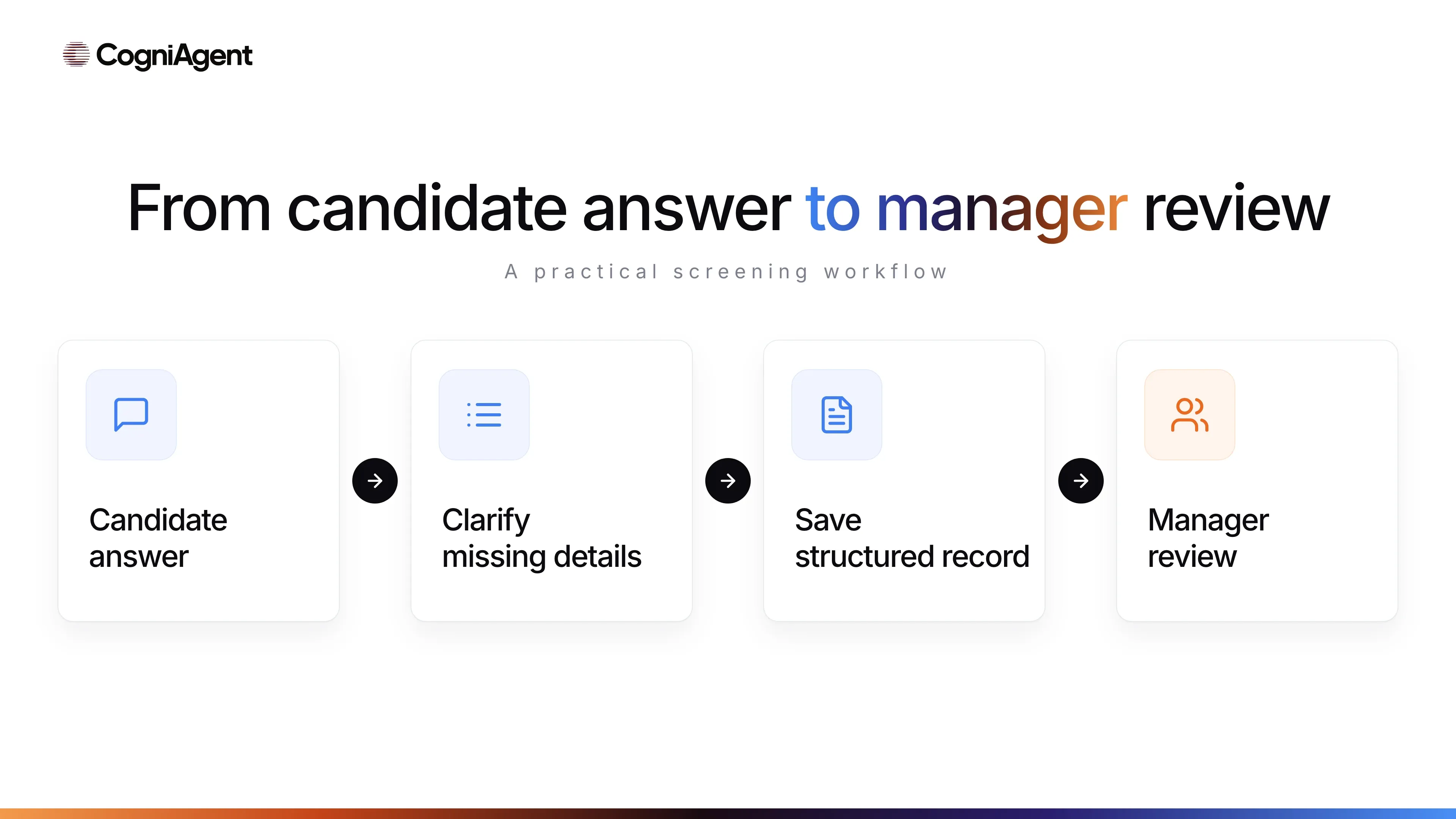
The following is a copyable record format for one answer. Repeat it for relevant questions or adapt the fields to your existing system. These are suggested labels, not product-specific fields.
vacancy_id:
vacancy_version:
question_id:
question_version:
candidate_record_id:
field_name:
candidate_answer:
source_excerpt:
answer_status: answered / missing / needs_clarification
evidence_status: candidate_reported / checked_by_reviewer
clarification_needed:
recorded_at:
review_owner:
reviewer_note:
The vacancy and question versions show what the candidate was asked; the candidate record ID connects the answer to the appropriate application. source_excerpt records the relevant words, while reviewer_note records a person’s follow-up. Record checked_by_reviewer only when a reviewer actually checked an appropriate source and identified it. A clear answer is still candidate_reported until that happens.
For availability, keep days, start time, end time, exceptions, and the date the availability takes effect together. An “available: yes/no” field loses information the reviewer needs. Collect only contact details needed for the process; do not request passport or banking documents or client entry codes in this initial record.
The following entries are invented to show the format. They are not an actual applicant or product demonstration.
|
Field |
Candidate-reported answer |
Status and reviewer note |
|---|---|---|
|
role_interest |
Weekday evening cleaner |
Answered; compare with vacancy version 1 |
|
availability_windows |
Monday, Wednesday and Thursday, 18:00–22:00 |
Answered for those days; Friday needs clarification |
|
availability_exceptions |
Tuesday unavailable |
Answered; manager to compare with shift coverage |
|
training_topics |
Floor-care equipment |
Answered; reviewer to check available training |
The entries remain candidate-reported. They do not establish verified experience or a hiring outcome.
Consider a fictional weekday vacancy from 18:00 to 22:00:
Candidate: “I’m available evenings, except Tuesday.”
Assistant: “Thanks. On Monday, Wednesday, Thursday, and Friday, what start and end times are you available?”
Candidate: “Monday, Wednesday, and Thursday, 18:00 to 22:00. I need to check Friday.”
Assistant: “I’ll note those three windows, Tuesday as unavailable, and Friday as needing clarification.”
The proposed record does not mark the candidate as matching every weekday, and the assistant does not reject the application. If the candidate corrects a time, the process should preserve the current answer and any history the employer needs, subject to the capabilities and settings of the selected record system. The manager decides whether an alternative schedule is workable.
Start with an approved vacancy, select relevant questions, clarify missing details, save a structured record in the chosen system, and send it through the team’s existing review process. The question bank is an input to configuration—not a ready-made agent created by copying this article.
For wider planning, see how to plan an AI-assisted recruitment workflow and compare types of recruitment tools. The CogniAgent recruiting agent setup example describes collecting answers, recording information in Notion, and sending a Gmail summary for a different role. It does not demonstrate a ready-made cleaning configuration or interview scheduling.
When designing an AI recruiting agent, give it job-specific instructions to:
Specify the destination, access permissions, and available actions for your own setup. A message or emailed summary is not proof that a manager has accepted the case, and it should not be described as a live human takeover. For product context, see AI recruiting for cleaning companies.
Use fictional test answers and inspect the saved record, not only the conversation. The AI agent testing guide provides a broader checklist.
|
Test case |
What to check |
|---|---|
|
No experience; vacancy allows training |
Experience and training needs are recorded without automatic rejection. |
|
Availability is incomplete |
Missing days or times remain unresolved and receive a relevant follow-up. |
|
Candidate corrects a shift time |
The current value is accurate; the record handles necessary history as configured. |
|
Travel is not part of the role |
The between-site travel question is skipped or replaced. |
|
Answer was already provided |
The assistant uses it instead of repeating the question. |
|
Candidate asks for a person or another way to communicate |
The response uses an actual available contact process. |
|
Saving the record fails |
The system does not claim the answer was saved; the team can review the failure. |
|
Candidate applies again |
The team can inspect the records and handle a possible duplicate under its process. |
These are requirements to test in your chosen setup, not guarantees that a prompt alone will enforce them.
Limit this first conversation to information relevant to the role. Do not collect medical details, family circumstances, or unrelated personal information. Do not infer suitability from an accent, writing style, emotional expression, citizenship, or a supposed personality profile.
In the United States, the EEOC explains restrictions on pre-employment medical and disability questions and distinguishes them from questions about performing the job. Other rules and jurisdictions may differ; adapt the questions to the location and stage of hiring. Any work-authorization or document process should be separately approved by the employer for the applicable jurisdiction, not treated as automatically verified by an assistant.
Choose one real vacancy, approve the questions that apply, and test them with synthetic answers before involving applicants.