What Is a Customer Service AI Agent?
A customer service AI agent resolves a customer's request inside the conversation. It reads order and account data, takes the action your rules allow, updates the helpdesk ticket, and hands off to a person with a summary when a case needs judgment. A chatbot answers from a script; an agent finishes the work.
The Repeat Support Work
Your Agent Takes Over
Start with the 2 request types that fill your queue, then add the rest once they run clean
Inbound request resolution
Questions and product issues get a real answer on the first reply, day or night, pulled from your knowledge base and live account data.

Intake & triage
Issue type and severity collected up front, with the account tier attached. The ticket lands in the right queue, already tagged.
Order & ticket status
Where's my order? Is my ticket still open? Your agent reads the answer from your store or helpdesk mid-conversation.

Onboarding & approvals
Setup steps and consent confirmations collected in the chat and logged to your CRM.
Follow-up & CSAT
A satisfaction check after each resolved ticket. A nudge when a customer goes quiet mid-issue.
Escalation & human handoff
You set the triggers: negative sentiment, a refund over a set amount, a VIP account, a legal keyword. When one fires, a person gets the transcript and a suggested next step, so nobody asks the customer twice.
Describe How Your Support Works. AI Builds the Agent.
Tell AI Concierge how your team triages and escalates, and you get a working canvas to edit instead of a blank one
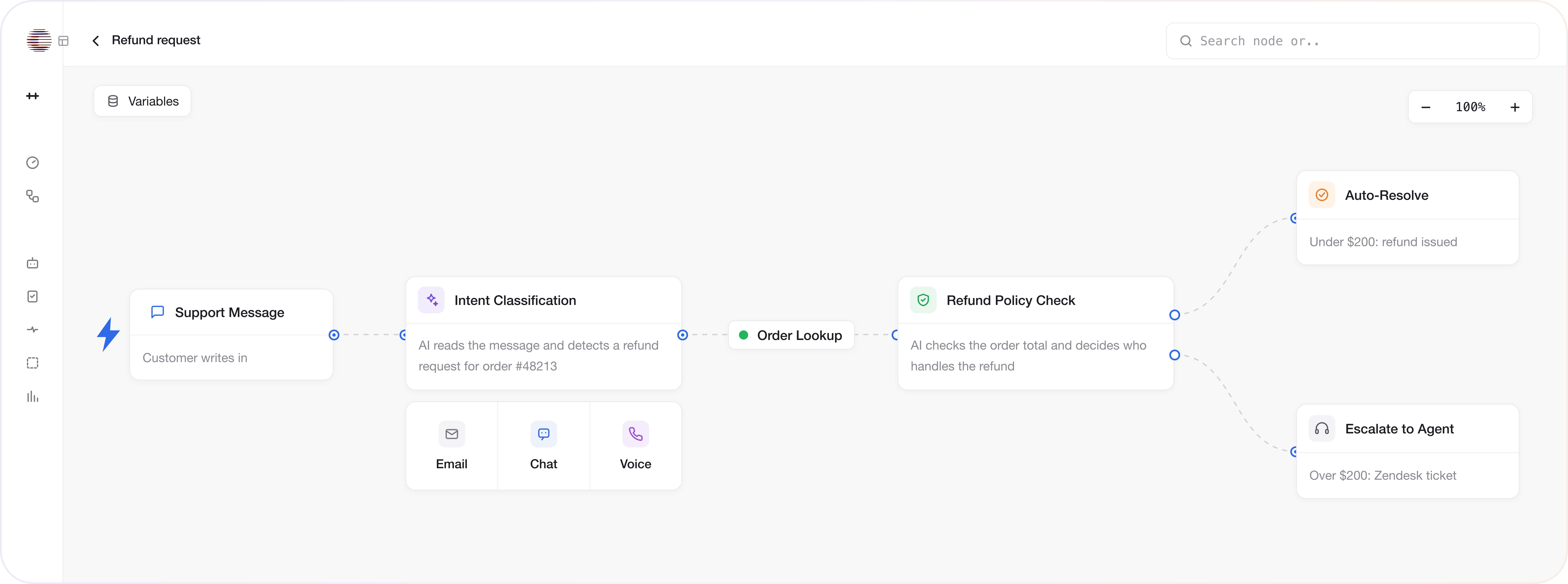
Start from your own rules
Paste your escalation matrix or your top 20 macros. AI Concierge maps them to nodes, and you adjust the ones that don't fit.
Conversation & ticket logic in one place
Replies, ticket creation, routing, and follow-ups sit on one canvas instead of a chatbot plus a workflow tool plus a helpdesk connector.
Change it without a developer
A refund policy changed on Friday? Edit the node and publish before the weekend queue builds.
Why Your Agent Gets the Request Right the First Time
Keyword bots match a phrase and return a help article. Your agent works out what the customer is trying to do, checks it against your rules, and keeps every detail from earlier in the conversation.
Structured reasoning
The agent breaks a request into steps, even when the customer gives half the details or changes the question twice in one chat.
Input validation
Each request is checked against your resolution rules before a reply goes out. Out-of-scope cases escalate.
Context memory
Order numbers and earlier answers carry forward, so the agent never asks the same question twice, on chat, email, or a call.
The Same Agent on Chat, Email, WhatsApp, SMS and Voice
Build the logic once. Website chat works out of the box; email, WhatsApp, SMS and voice connect through your own accounts.
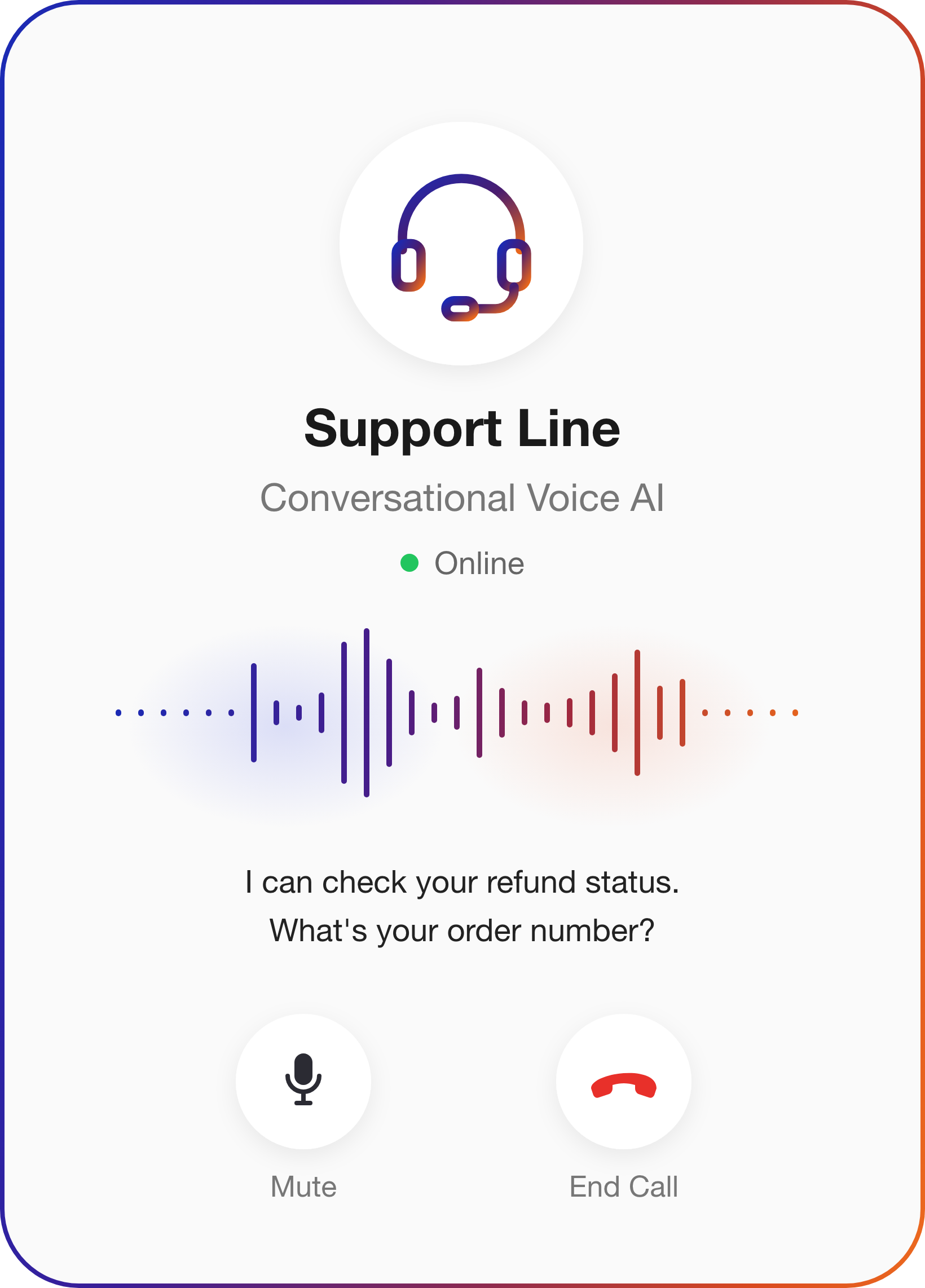
Conversational Voice AI
Inbound calls answered, with live account lookup mid-call and a warm transfer when a person is needed. Runs through your own Twilio account.
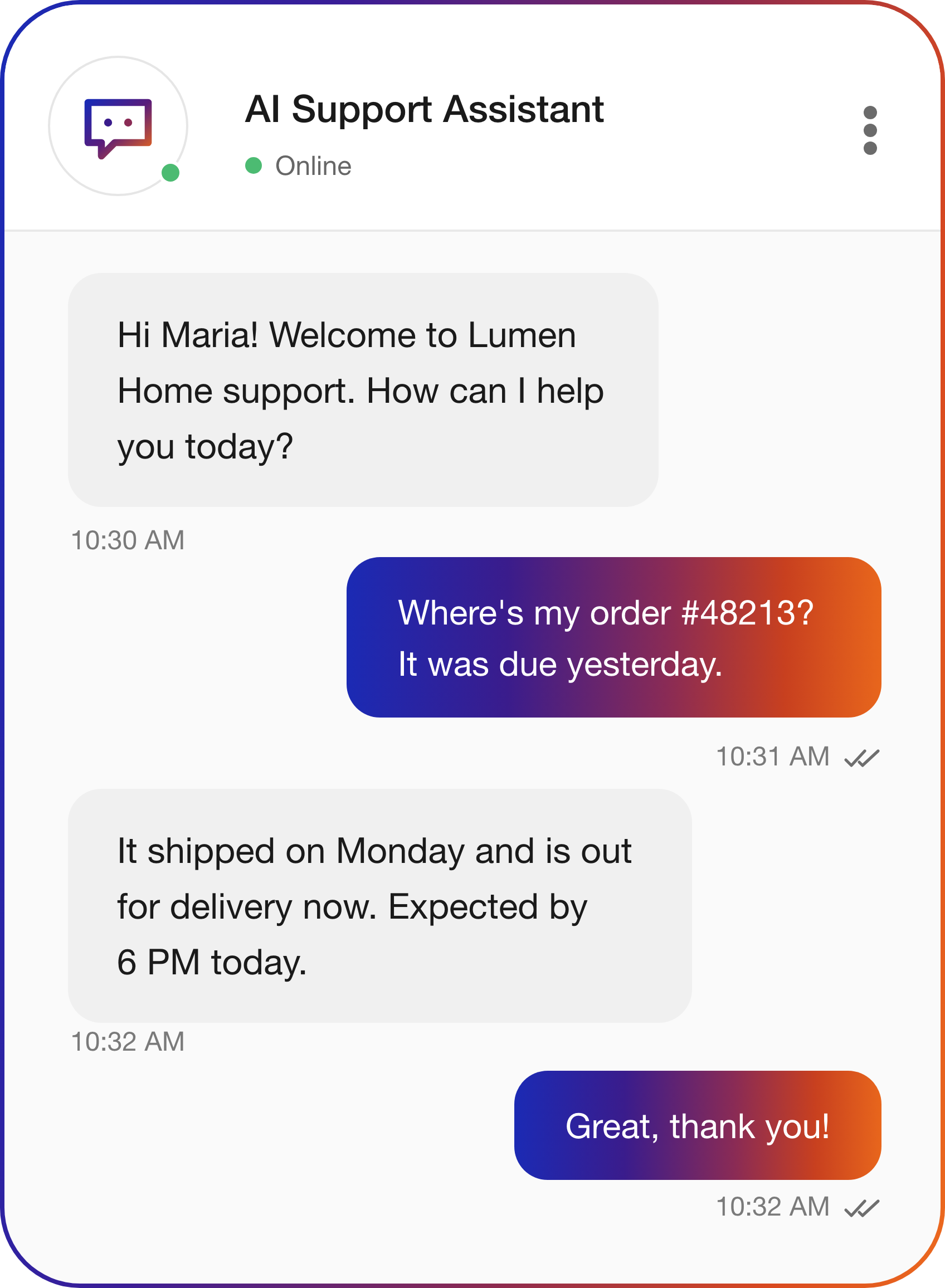
Web Chat
Support on the page where the problem happens: product pages, checkout, the account portal, or your help center.
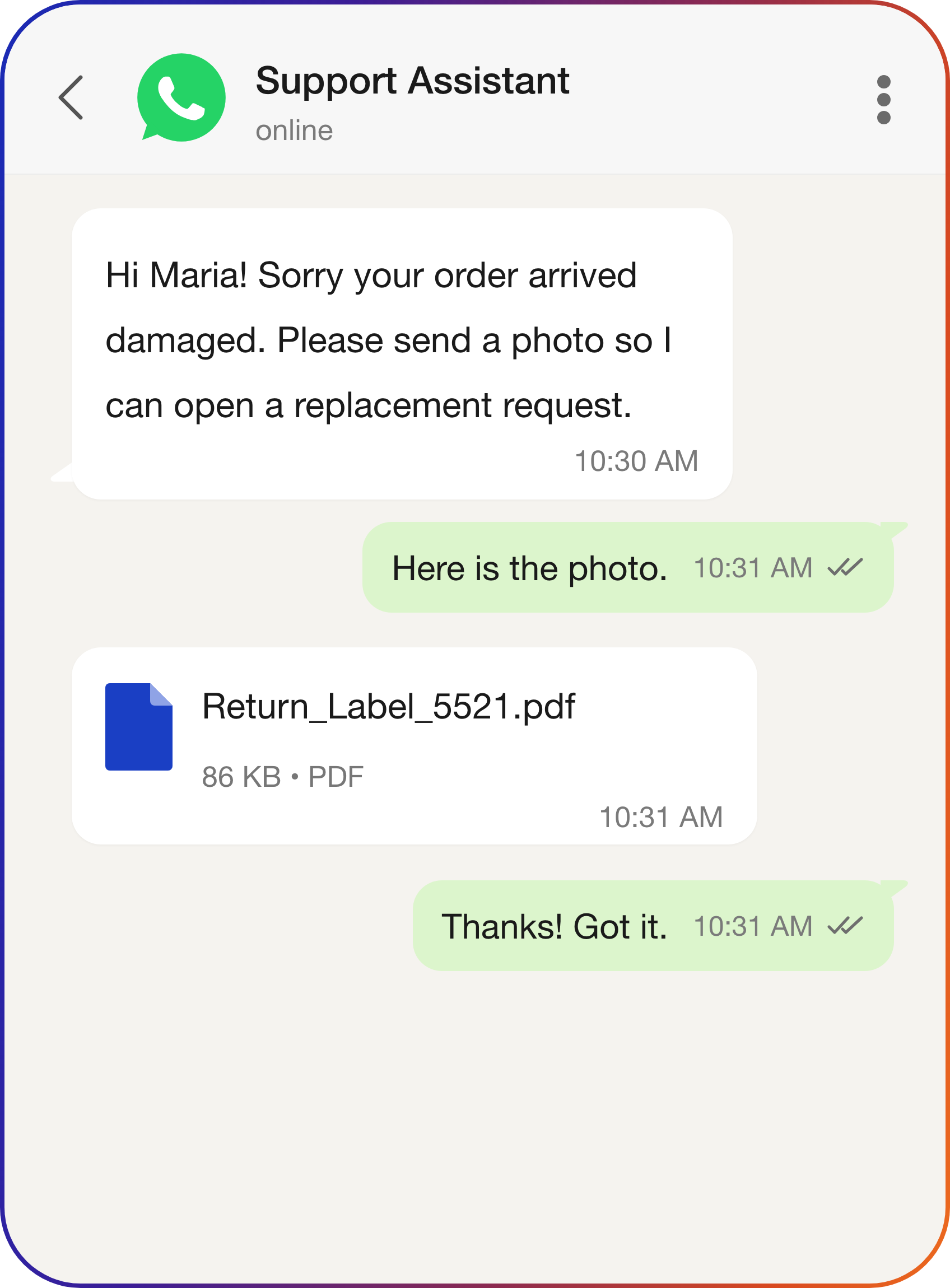
Customers stay in the thread they opened. Photos and receipts come in as attachments, not as a link to a form.
SMS
Appointment reminders and status alerts, the outbound messages most teams still send by hand.
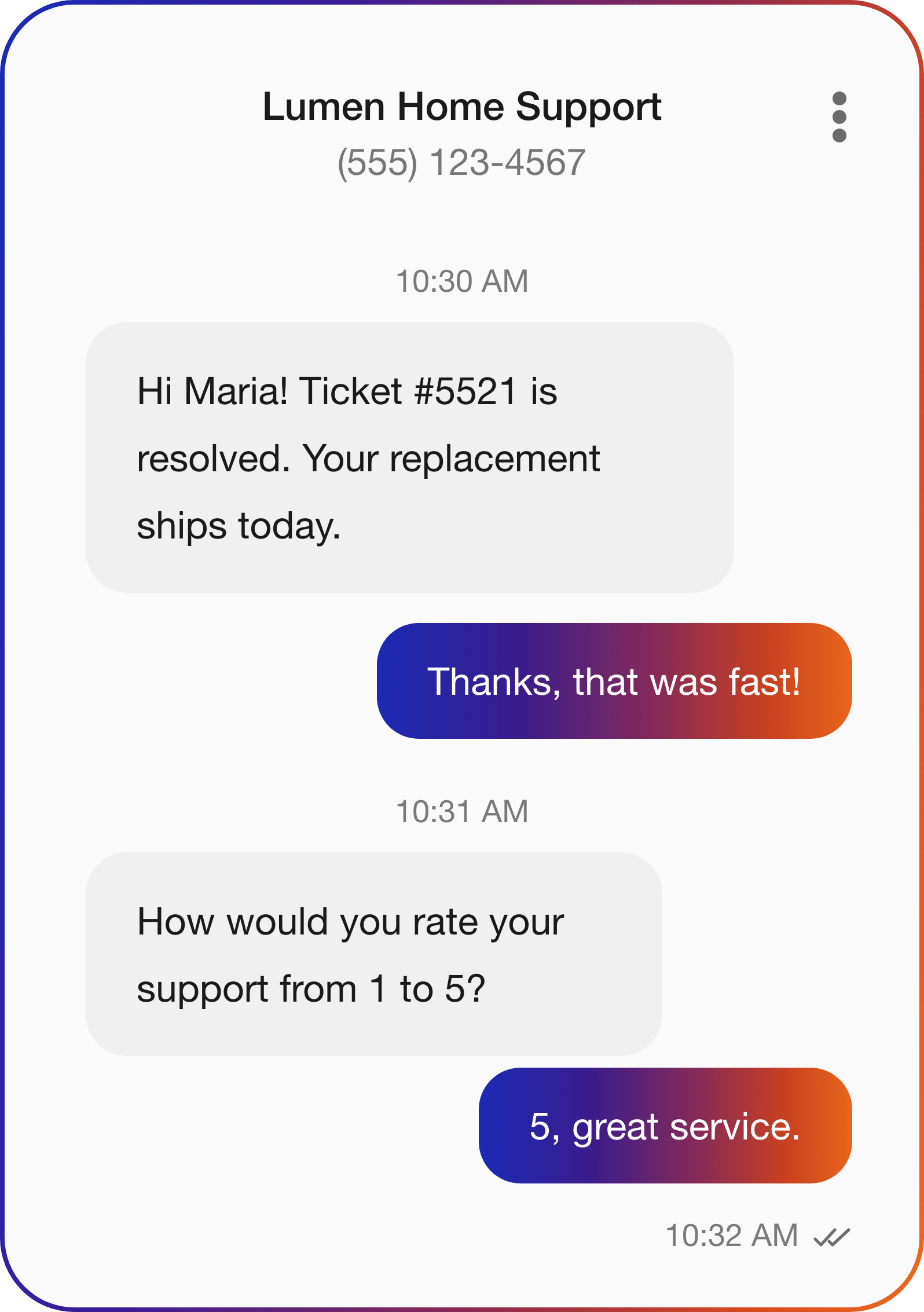
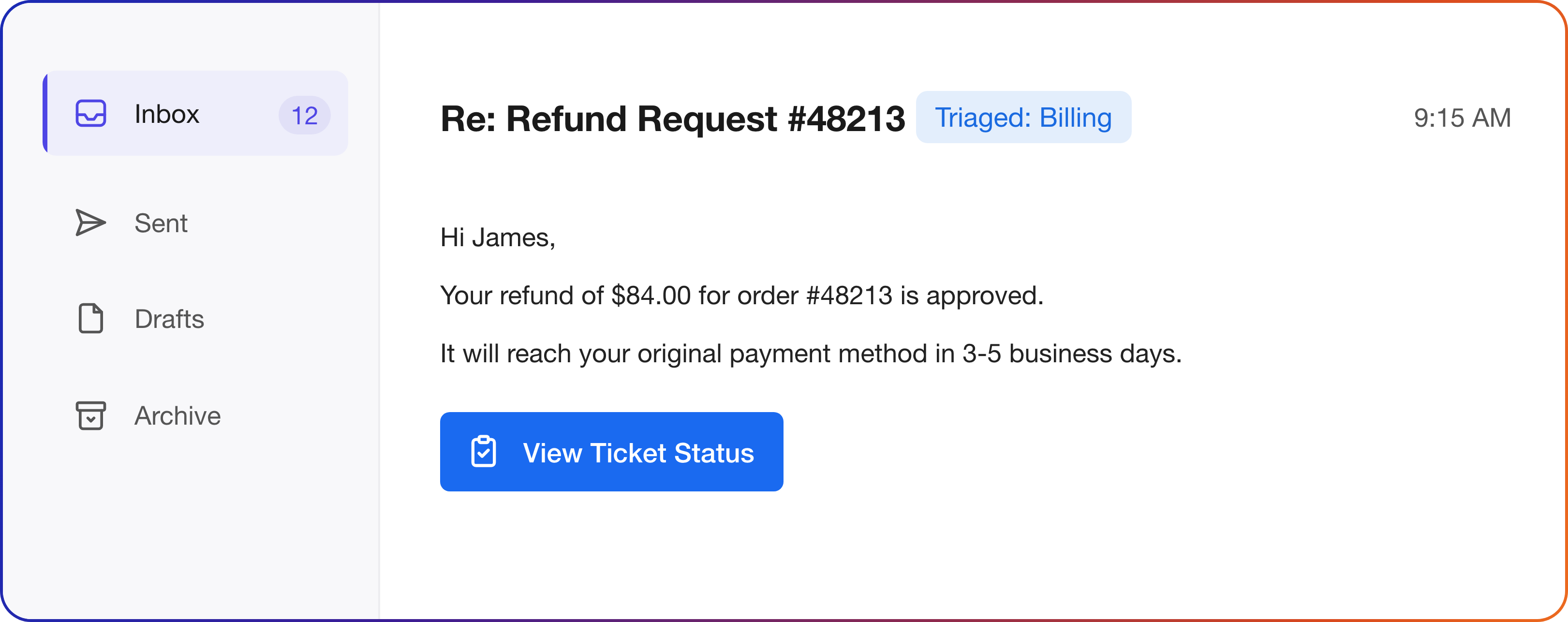
Inbound support email read, tagged, and answered, with a ticket created for anything the agent can't close. The overnight queue stays empty.
From Sign-Up to Your First Resolved Ticket
No developer or automation specialist needed
What Teams Say About the Results With CogniAgent
Heads of customer service explain which requests the agent now closes and what still reaches a person.
CogniAgent has become an essential part of our customer experience. The cognitive AI platform handles most routine inquiries, freeing up our agents to focus on more complex issues. Our customer satisfaction scores have gone up by 25% since implementation. I highly recommend this solution.

Connects to Your Entire Support Stack
2,700+ integrations, so the agent reads live ticket and account data and updates records inside the tools your support team already runs









 WhatsAppbusiness






Where Support Chatbots Stop and Your Agent Keeps Going
6 points where a scripted chatbot hands the work back to your team

Typical Support Chatbots

- Keyword matching that breaks when a customer phrases something differently
- "Here's an article that might help" for every question outside the FAQ list
- Website widget only, every other channel still manual
- Transfers with no context, so the customer explains everything again
- Tickets created in a batch sync, so the helpdesk lags the conversation
- No way to tell if it's working

Agent Built on CogniAgent

- Structured reasoning that works out what the customer means, not only what they typed
- Real resolution: account data pulled, action taken, ticket updated in the same conversation
- Same agent logic on chat, email, WhatsApp, SMS, and voice
- Handoff with the transcript, an issue summary, and a recommended next step
- Tickets created and updated before the chat window closes
- Resolution rate, escalation volume, and CSAT tracked per channel on one dashboard
The Support Problems That Have Been "Managed" Long Enough
The Problem
With Your Agent


The Ticket Queue Grows Faster than the Team Can Clear It
Launches and seasonal peaks push first-response time out, and CSAT drops in exactly the weeks that are hardest to staff.

Volume Stops Being a Staffing Problem
Your agent takes the predictable share of the queue, so launch week gets the same response time as a quiet Tuesday.
Senior Agents Spend Their Day on Password Resets
Someone hired for product depth spends the shift answering "what's my account number".
Easy Tickets Never Reach Your Team
What reaches a person is the case that needs judgment.
Customers Wait Until the Next Business Day for a Reply
Every hour of silence is a customer choosing between a chargeback or a competitor.
Every Message Gets a Reply at 2pm and at 2am
The customer knows the issue is logged and what happens next.
Pricing
Pay only for what you use. Credits never expire.
Pay-as-you-go
Free to start. No subscription.
Credits from $10.
- 5,000 credits loaded on signup
- Full canvas and all AI features
- Integrations and templates
- Free messaging channels
- Up to 5 user seats
- Website chat live on free credits
- Human chat support*

* activates on first credit purchase. Phone and SMS use your own Twilio number; we'll help you set it up.
Enterprise
Custom plan. Annual prepay
at a negotiated rate.
- Annual credit package
- Custom user seats
- SSO
- Bring your own LLM API keys
- Extended usage logs
- Assisted onboarding and training
- Agents built by the CogniAgent team
- Premium support and SLA

Enterprise-Grade
Security & Compliance
Built for support teams handling account details and conversation transcripts across the channels and tools you already use


Data Protection
All conversations, recordings, transcripts, and customer records are encrypted in transit and at rest. Configurable retention windows let you match storage to your own policies.
Secure System Integration
Role-based access controls govern every connection to your helpdesk, CRM, and billing tools. Every read and write the agent performs mid-conversation runs over encrypted channels.

Privacy Assurance
Your customer data stays yours and is never used to train public AI models. Teams using their own LLM API keys keep every AI call inside their own provider relationship.

Audit & Monitoring
Time-stamped logs for every message, escalation, and system write support internal reviews and customer dispute resolution.

Customer Service AI Agent
FAQ
No. A chatbot answers from a script or an FAQ list and hands everything else to a person. A customer service AI agent built on CogniAgent also acts: it looks up the order, updates the Zendesk or Intercom ticket, confirms the next step, and escalates with a summary when a request falls outside your rules.
Yes. Set the agent's first message to say it is an AI and offer a person at any point in the conversation. The EU AI Act (Article 50) requires telling people when they interact with an AI system, and on CogniAgent the greeting and the handoff trigger are both editable nodes on the canvas.
The customer service AI agent follows the fallback you configure: it transfers to a person with the full transcript, opens a ticket flagged for review, or tells the customer when to expect a reply. No conversation ends without a next step, and the unanswered question stays in the log for your team to review.
Yes, during the conversation. A customer service AI agent built on CogniAgent creates a ticket when a new issue comes in, updates it when the customer follows up, writes resolution notes, and attaches a structured summary to escalations. Your team opens the helpdesk and finds the work already logged, with no transcript to reread.
A CogniAgent customer service AI agent replies in the language the customer writes in, within the languages the connected LLM supports. Language rules, such as sending Spanish-language escalations to a Spanish-speaking queue, are set on the canvas during setup, so international customers reach the right person on the first handoff.
You buy Pay-as-you-go credits with no subscription and no per-seat fee. Every action draws from one balance, credits never expire, and the bill follows usage rather than a charge for each resolved conversation. Enterprise adds an annual prepay at a negotiated rate, plus an agent configured by the CogniAgent team.
You can publish a first customer service AI agent in 1 day: start from a pre-built template or describe your process to AI Concierge, connect your helpdesk and channels, and go live. On Enterprise, the CogniAgent team configures the agent and tests it against your real support scenarios before launch, typically within 1 week of kickoff.

No results