Voicemail Transcription & Routing
Every missed call is transcribed, analyzed for intent and urgency, and routed to the right person or queue, so nothing sits unheard in a voicemail box.
Core Automation Capabilities

Automatic Transcription of Incoming Voicemails

Intent, Urgency & Key-Detail Extraction

Smart Routing to the Right Person, Queue, or Workflow

Instant Alerts on Urgent Messages, Auto-Logging on Routine Ones
Why Voicemail Is Where Leads Go to Die
Nobody Drains the Box in Time
A voicemail box is a queue only a human can empty, one message at a time, in the order they arrived. The urgent message sits behind four routine ones, and by the time someone plays it the caller has moved on.
Urgency Is Invisible Until Someone Presses Play
Nothing on the outside of a voicemail tells you whether it is a pricing question or a burst pipe. Without listening, every message looks identical, so triage is guesswork.
Messages Never Make It Into the Record
What was said in a voicemail lives in one person's memory or on a sticky note. There is no consistent record of who called, why, or what happened next.
How It Works
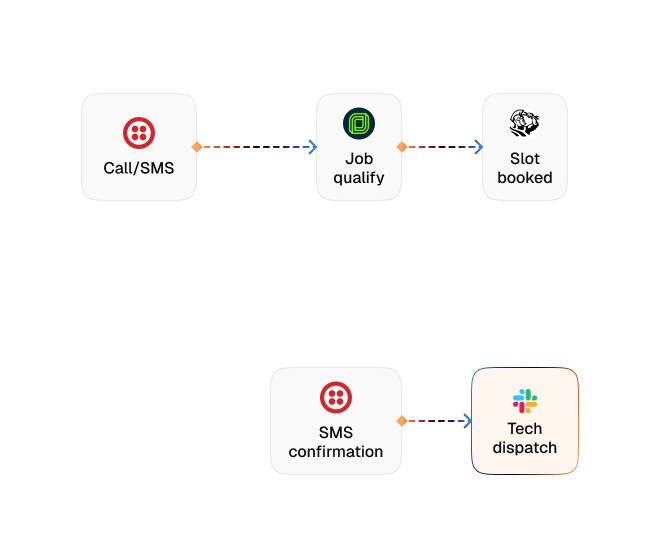
Capture the Missed Call
When a call goes unanswered, the voicemail becomes the trigger for a workflow instead of sitting in a box waiting for someone to find it.
Transcribe the Message
The recording is turned into text automatically, so the content of the message is readable and searchable rather than something you have to listen through.
Read the Intent
The agent works out what the caller actually wants — a new inquiry, an existing customer, a routine question, or something that cannot wait.
Score the Urgency
Each message is judged against your own definition of urgent, so an emergency is separated from a callback request before anyone opens it.
Route to the Right Place
The message goes to the person, queue, or workflow that should own it, by your rules, with the transcript and the extracted details attached.
Alert or Log
Anything urgent triggers an immediate alert on the channel your team actually watches. Everything routine is logged to your CRM against the right contact, with nobody retyping it.
Impact of AI That Delivers Real Operational Wins
| Metric | Before Automation | After (With AI Agent) |
|---|---|---|
| Time to see what a caller wanted | Only once someone plays the message | Readable transcript as soon as it lands |
| Triage of urgent vs routine | Manual, in the order messages arrived | Scored automatically before anyone opens it |
| Urgent message handling | Waits its turn in the voicemail box | Immediate alert to the right person |
| Routing | Whoever checks the box forwards it on | Rule-based, with transcript and details attached |
| Record of the call | A note, a memory, or nothing | Logged to the CRM against the contact automatically |
| Messages left unactioned | Unknown — nothing tracks them | Every message routed and accounted for |
Seamless Setup Timeline
Step 1
Connect the voice channel whose missed calls and voicemails the agent should pick up.
Step 2
Load your services, hours, and escalation policy into the Knowledge Base so the agent judges intent against your business rather than a generic template.
Step 3
Define what counts as urgent for you, and the alert channel your team actually watches.
Step 4
Set the routing rules — which person, queue, or workflow owns each type of message — and connect the CRM that routine ones log to.


![Best AI Tools for Auto Repair Shops [2026 Guide]](https://cogniagent-preview-def77a0f.nyc3.digitaloceanspaces.com/media/2026/07/Best-AI-Tools-for-Auto-Repair-Shops-2026-Guide.png)

Frequently Asked Questions
Not in order to triage them. Each message arrives as a transcript with the caller's intent, urgency, and key details already extracted, so the decision about who handles it is made before anyone presses play. The recording stays available if someone wants to hear it.
You define it. The agent scores each message against your own criteria — the words used, the service mentioned, the customer, whatever signals urgency in your business — and only the messages that meet your bar trigger an alert.
To the person, queue, or workflow you nominate, by rule. Routing can key off intent, urgency, the service mentioned, or the caller's existing record, and the transcript and extracted details travel with the message.
They are logged automatically against the right contact in your CRM, with the transcript and the reason for the call, so there is a clean record even when nothing needs an immediate response.

No results