Outbound Prospecting Agent
Run outbound sequences that open the conversation, answer the reply, and book the meeting, so your reps spend their time in conversations rather than in the sending
Core Automation Capabilities

Opens Conversations on Email, Slack, and SMS

Researches and Enriches Each Prospect Before the First Message

Handles the Reply in Conversation Instead of Just Logging It

Books the Meeting and Writes the Record to Your CRM
Why Outbound Stalls After Send
Sending Is Automated, Replying Is Not
The sequence goes out on schedule and then stops working the moment somebody answers, which is the only moment that mattered.
Reps Spend the Day on Research
Finding the company, the role, the trigger, the right angle. Necessary work, done by hand, for prospects who mostly will not reply.
Warm Replies Go Cold in the Queue
Somebody answers within the hour and hears back the next afternoon, by which time the reason they replied has passed.
How It Works
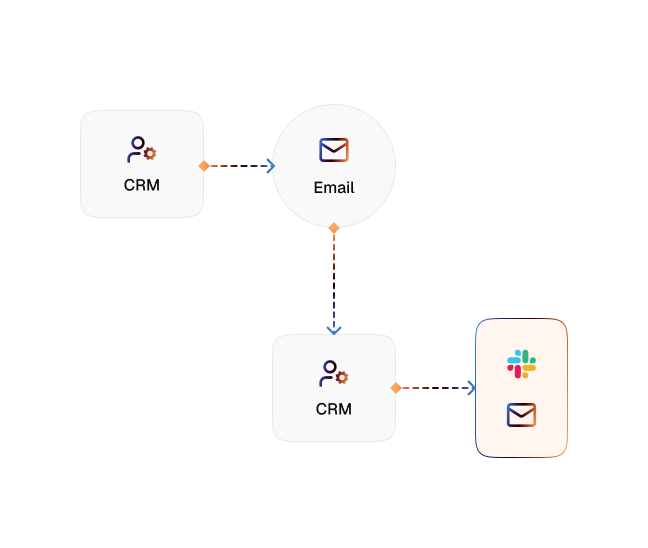
Build the List From Your Own Criteria
The workflow pulls prospects from the sources you connect and filters them against the criteria you define, rather than a generic scoring model.
Enrich Before the First Touch
Company detail, role, and context are gathered and attached to the record, so the opening message has something real to say.
Open the Conversation
The agent sends the first message on Gmail, Outlook, Slack, or SMS through Twilio, the channels that support starting a conversation.
Answer the Reply Immediately
A response does not pause the sequence for a human. The agent handles the question, qualifies against your criteria, and keeps the conversation going.
Book the Meeting
When the prospect is qualified and interested, the agent offers real availability from your connected calendar and confirms the slot.
Hand Over Warm
The rep receives a booked meeting with the enrichment, the qualification answers, and the full thread already in the CRM.
Impact of AI That Delivers Real Operational Wins
| Metric | Before Automation | After (With AI Agent) |
|---|---|---|
| Time from reply to response | Whenever a rep opens the inbox | Immediate |
| Prospect research | Manual, before every send | Enriched automatically on the record |
| Handling the reply | Sequence stops, a human takes over | Handled in conversation, escalated when needed |
| Meeting booking | A separate round of scheduling emails | Offered and confirmed in the same thread |
| CRM hygiene | Logged later, if at all | Written as the conversation happens |
| Rep time | Spent sending and researching | Spent in booked conversations |
Seamless Setup Timeline
Step 1
Define the qualification criteria and the offer, and upload your positioning, pricing rules, and objection handling to the Knowledge Base.
Step 2
Connect the prospect sources and the CRM the agent should read from and write back to.
Step 3
Choose the outbound channels, using Gmail, Outlook, Slack, or SMS through Twilio for the first message.
Step 4
Connect the calendar the agent books into and set the rules for when a rep takes over.


![Best AI Tools for Auto Repair Shops [2026 Guide]](https://cogniagent-preview-def77a0f.nyc3.digitaloceanspaces.com/media/2026/07/Best-AI-Tools-for-Auto-Repair-Shops-2026-Guide.png)
Frequently Asked Questions
Gmail, Outlook, Slack, and SMS through Twilio support initiating a conversation. The web widget, WhatsApp Business, and Microsoft Teams respond to inbound messages rather than opening one.
It works from your positioning, offer, and objection handling in the Knowledge Base, so the wording stays inside what you have approved rather than being improvised on every send.
It answers from your Knowledge Base and keeps the conversation moving. When the question needs a person, it escalates with the thread attached instead of stalling the sequence.
Yes. It offers live availability from the calendar you connect and confirms the slot in the same conversation, then writes the meeting and the qualification detail to your CRM.

No results