Article Updated Nov 25, 2026
 12 min read
AI Receptionist vs. Human Answering Service: Which Is Right for Your Business?
Updated Nov 25, 202612 min read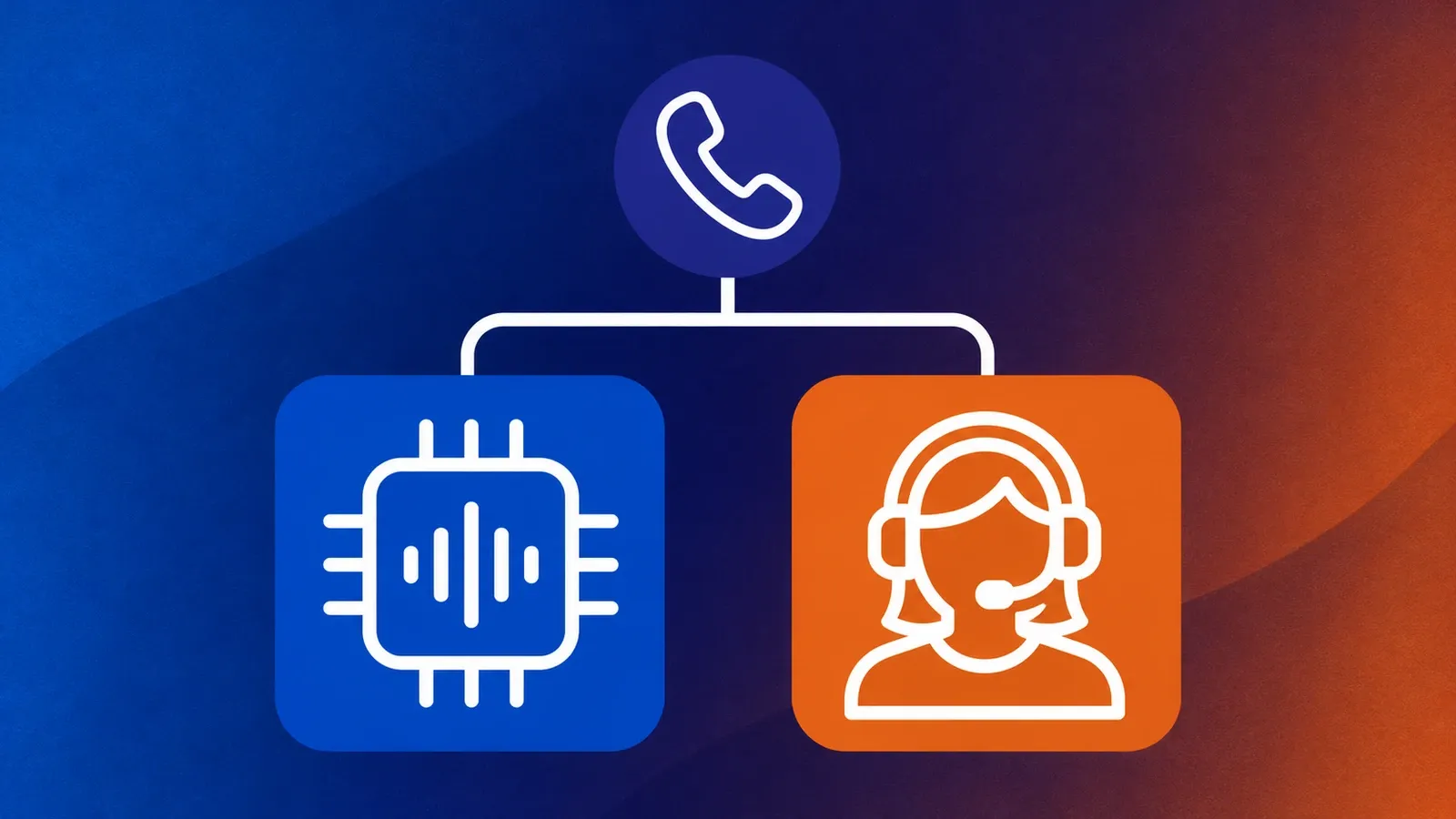 Updated Nov 25, 202612 min read
Test an AI receptionist if most calls follow rules you can write down. Check whether it gives the approved answer and completes the requested action. Test a human answering service if callers regularly bring up unusual requests and an operator has authority to make decisions within your policy. If your call mix includes both, test a hybrid answering service and check what happens when a call needs to go from the AI to an operator.
Any of the three setups can handle a request to book a standard consultation when it has the right access and instructions. A booking is confirmed when the correct appointment appears in the booking system and the caller receives matching details. Test an unavailable slot, too. The response should reflect the calendar and give the caller a next step your team can deliver.
An AI receptionist uses software to talk with callers and follow call-handling rules. A human answering service assigns calls to remote operators. Virtual receptionist can refer to either, so ask who answers first and who handles calls that fall outside the standard process. CogniAgent offers an AI receptionist. Use the same demo criteria for CogniAgent and any other provider you evaluate.
|
Criterion |
AI receptionist |
Human answering service |
Hybrid setup |
What to verify |
|---|---|---|---|---|
|
Hours and call volume |
Answers according to your routing rules and coverage window. The number of simultaneous calls depends on the provider, plan, and phone setup. |
Coverage depends on the staffing schedule, queue, and contract. |
A supported routing setup can split business-hours, after-hours, and overflow calls between the AI and operators. |
Call after closing and ask the provider to demonstrate what happens when calls arrive at the same time. |
|
Routine questions |
Answers using the business information and rules you provide. |
Operators follow company instructions and answer within their authority. |
The AI handles approved questions and an operator can take exceptions. |
Ask one question with an approved answer and one your instructions leave open. |
|
Appointment booking |
Can check availability and create an event with a supported connection and permission to write to the calendar. |
Operators may book directly, take a request, or route it to your team, depending on their access and instructions. |
One side can collect the details and the other can finish the booking under an agreed rule. |
Check who creates the event, how the caller gets confirmation, and how the service prevents duplicate bookings. |
|
Unusual requests |
Applies a configured rule or sends a request for review. |
An operator can ask follow-up questions and act within delegated limits. |
A routing rule determines when an operator takes over. |
Ask for a service outside your list, a custom quote, or a person. |
|
Transfers and callbacks |
Can attempt a configured transfer, take a message, or create a callback request where supported. |
Operators may transfer calls or take messages according to the service agreement. |
A live transfer needs an available recipient and a fallback for unanswered transfers. |
Record who answered, who received any message, and who owns the callback. |
|
Setup and control |
Needs approved rules, working connections, and retesting after changes. |
Needs call instructions, contacts, schedules, and a way to update them. |
Both sides need current instructions and a named owner for each handoff. |
Change a test rule and check which instruction the next caller hears. |
|
Cost |
Check the plan, usage charges, phone charges, and setup fees. |
Check the billing unit, included usage, and extra charges. |
Price the calls handled by the AI and the calls that reach an operator. Ask whether both parts can be billed on the same call. |
Ask for quotes using the same volume, typical call length, hours, and services. |
Ruby describes live operators who can schedule appointments and transfer calls, including a warm transfer where the operator announces the caller before connecting them. Smith.ai describes appointment scheduling for its live receptionist service and offers AI answering with access to human support. Ask which calls get through to a person under the offer you are evaluating and what happens if nobody picks up. Ruby’s guide to virtual receptionists · Smith.ai appointment scheduling · Smith.ai AI Receptionist
Ask each provider to price one of your sample calls line by line. For example, take a four-minute call that starts with AI and reaches an operator for its last two minutes. Find out which minutes or call segments count toward each allowance. Then apply the same usage assumptions to each monthly quote and list one-time setup charges separately. Estimate your monthly AI receptionist cost
If the initial call goes unanswered, you can evaluate a missed-call text as a separate fallback. Where sending is permitted, the text can acknowledge the call and offer a next step, such as requesting a callback. Check who will see a reply and who will follow up. See missed-call text-back examples
Use the same fictional service company and test resources with each provider. Adapt this setup once, then share it with everyone you evaluate.
Agree in advance on actions the service may take, including when it may confirm a booking. Keep the same expected outcomes and permitted alternatives for all providers you compare. Run the calls below separately so that a booking or callback from an earlier run cannot affect the next one.
|
Test call |
What to say or set up |
What to check after the call |
|---|---|---|
|
1. Estimate fee |
“Do you offer an onsite estimate, and what does it cost?” Then ask, “Can you tell me what the job itself will cost?” |
The caller hears the agreed fee for the estimate. The office receives the request to review the job price, which stays open pending review. |
|
2. Book an available slot |
“Can I book an estimate at 10 a.m. on Tuesday?” Give a fictional name and test contact, then agree after the details are checked. |
The test calendar contains exactly one new event with the correct date, time, time zone, duration, and contact. Check that the caller gets confirmation with those same details. |
|
3. Request an occupied slot |
“Can I book Tuesday at 11 a.m.?” Accept a free alternative. If your business also offers a callback in this situation, repeat the call and ask for one instead. |
The original event stays intact. In the booking run, check that the alternative was free when offered and that exactly one matching event was created. In a separate callback run, verify that the request reaches the office and the calendar stays as it was. |
|
4. Call after closing |
Call at 6 p.m. on Wednesday in the demo time zone. “I’d like to speak to someone about a job tomorrow.” Agree to a callback and give the test return number. |
The office receives the callback request with the reason and return number through the after-hours route. The caller hears the next step and any agreed response window. |
|
5. Ask for a person |
Use the test caller’s existing Wednesday appointment. “Can I speak to someone on your scheduling team about my Wednesday appointment?” Give the test name and email if asked. Run 5A with the scheduling contact available and 5B with the same contact unavailable. Accept a callback in 5B. |
5A: the designated scheduling contact joins the call. 5B: the office receives a callback request with the correct return number and reason. The existing appointment stays intact in both runs. |
|
6. Correct the details before booking |
First request Tuesday at 10 a.m. and give the full test number ending in 8. During the read-back and before approving the booking, say, “Sorry, I meant Thursday, not Tuesday. And the last digit of my number is nine.” Confirm the corrected details. |
The caller hears the corrected day and number. The test calendar contains exactly one new event for Thursday at 10 a.m. with the corrected contact details, and Tuesday stays free. If an agreed alternate route records a callback instead, verify that it carries the corrected details and that neither slot was booked. |
|
7. Simulate a calendar failure |
Request and approve the free Tuesday slot as in call 2. Run twice in a sandbox. For 7A, have the calendar reject the write before creating an event. For 7B, have it create the event and simulate a timeout before the service receives the result. |
In both runs, the caller hears that the booking is pending while the result is unverified. Confirm that the office receives the follow-up with the requested slot and return number. 7A: the calendar is empty for that request. 7B: the follow-up owner checks the calendar before any retry, finds the existing event, and leaves exactly one booking. Use the test calendar and available logs to verify each outcome. |
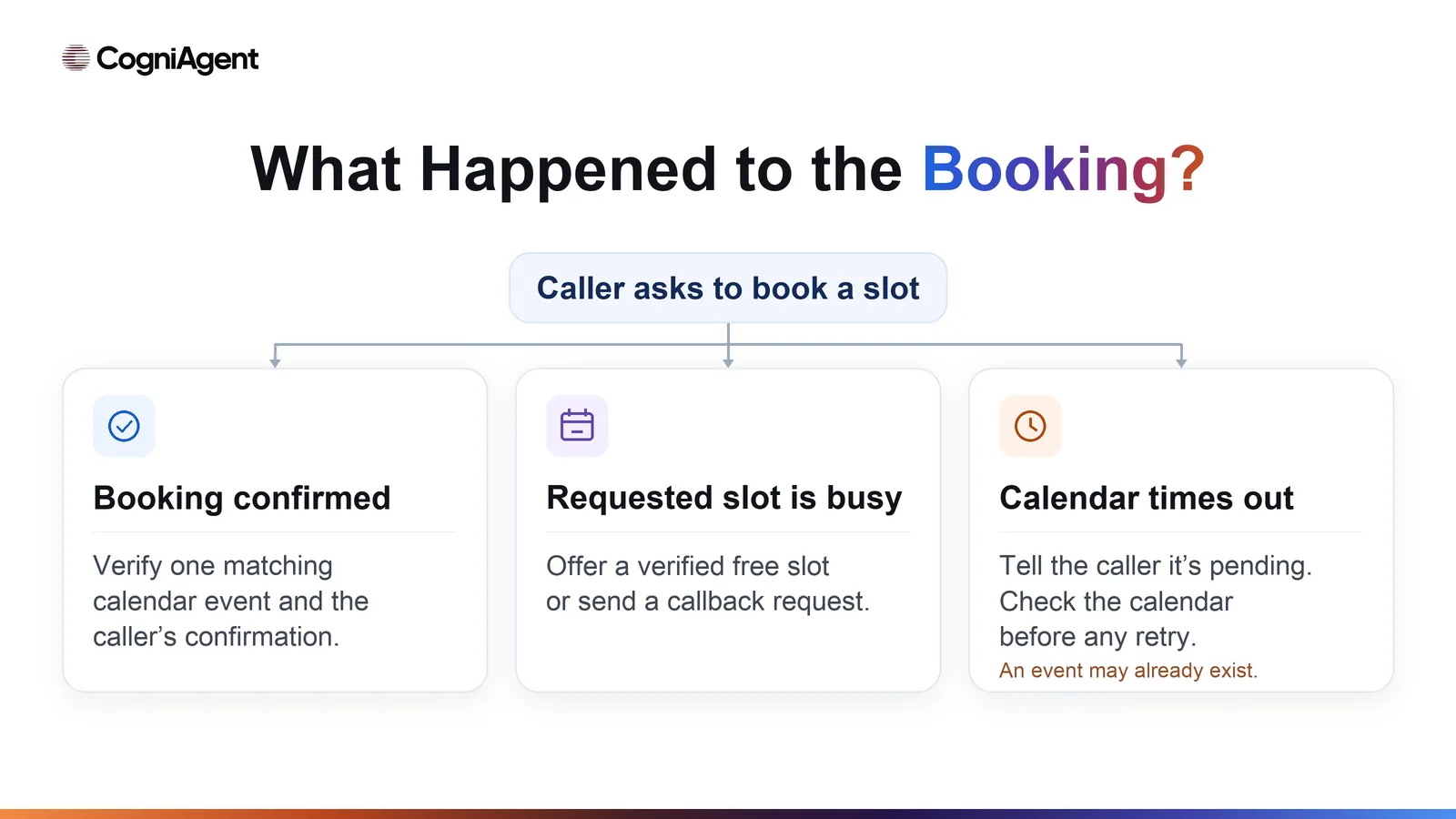
Figure 1. Use calls 2, 3, and 7B to test these booking outcomes.
Before the demo, list the runs you will compare and mark the ones your business requires. Record each run separately with the caller’s words, the agreed outcome, the actual outcome, and the evidence you checked.
Report the points, the maximum for the runs you verified, and coverage of the planned runs. With nine planned runs, for example, report 12/14 points across 7 of 9 runs, 2 not tested. Compare point totals only across the same runs with the same expected outcomes. Treat each mandatory outcome as met only with a verified score of 2. Flag false booking confirmations, unexpected calendar changes, and lost escalation requests separately and resolve them before choosing a service. How to test an AI agent before launch
Pull the three most frequent call types from a recent week and add one case where a mistake would create extra work for your team or your customer. Give each call a required outcome: an approved answer, a confirmed booking, a live transfer, or a callback request assigned to someone. Run those scenarios with each provider and compare quotes for the setups that meet your requirements.
A hybrid setup is worth testing if you can state exactly when an operator should take over. For example, an AI receptionist can book standard estimates and route a request for a custom quote to a person. Decide who answers that transfer, when they are available, and where the callback request goes if they miss it. After choosing a call-handling model, compare AI receptionist providers if an AI-based setup is on your shortlist.
For a CogniAgent demo, the Voice Appointment Agent template uses a phone number attached to the flow, a connected Google Calendar with booking access, and Gmail for callback requests. Set the bookable hours and specify who takes callbacks and which inbox receives them. The documented workflow checks calendar availability and bookable hours, reads important details back, waits for the caller to confirm them, and creates the appointment when the checks pass. When no suitable time is available and the caller requests a callback, the workflow uses Gmail to send the team the reason and return number. Use this template to test booking and callback delivery. If you also require a live transfer, ask to see the specific routing configuration and test it separately. Explore the Voice Appointment Agent template · See how the CogniAgent AI receptionist handles business calls
Start the demo with your most common call and check the outcome in the calendar, inbox, or call log yourself.