Multi-Channel Chatbot Deployment
One shopping assistant, every channel your customers already use
Core Automation Capabilities

Unified Product & Inventory Sync

Channel-Native Checkout Handoff

Cross-Channel Conversation History

Platform-Specific Message Formatting

Single Canvas, Multiple Deployments

Centralized Performance Dashboard
Every Partial Form Submission Is a Conversion Opportunity Waiting to Be Recovered
Rebuilding the Same Bot Per Channel
Teams often configure separate, disconnected bots for web, WhatsApp, and Instagram — tripling the setup and maintenance work.
Lost Context on Channel Switch
A customer who starts on Instagram and follows up on WhatsApp has to repeat themselves.
Inconsistent Answers
Different bots on different channels can give different answers to the same question.
How It Works
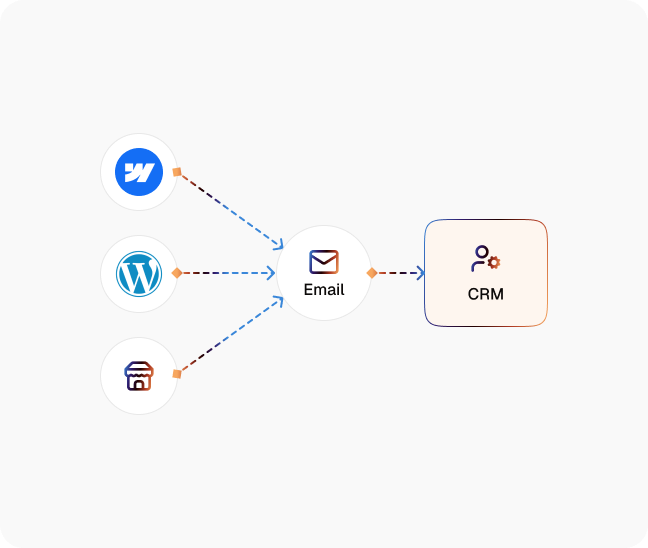
One agent configured
Build the shopping assistant once, on a single canvas, with your product data and conversation logic.
Deployed across channels
Publish the same agent to web chat, WhatsApp, Instagram, and marketplace messaging without rebuilding it per channel.
Shared context maintained
A customer's conversation history and cart state follow them regardless of which channel they use next.
Channel-appropriate formatting applied
Messages render correctly for each platform's format and constraints automatically.
Checkout handed off natively
The agent routes to each channel's native checkout flow rather than forcing a redirect that loses the cart.
The Real Impact for eCommerce Teams
| Metric | Before Automation | After (With AI Agent) |
|---|---|---|
| Bots to build and maintain | One per channel | One, deployed everywhere |
| Context retained across channel switch | None — each channel starts fresh | Full conversation + cart history |
| Customer retention | Baseline | 91% higher |
| Time to add a new channel | Weeks of separate bot setup | Minutes, same canvas |
| Answer consistency across channels | Fragmented — separate logic per bot | Single source of logic |
Step-by-Step Setup
Step 1
Connect your product catalog and the channels you want to deploy on (web, WhatsApp, Instagram, marketplace messaging)
Step 2
Agent canvas configured once, tested on your first channel
Step 3
Deploy to remaining channels from the same canvas
Step 4
Review cross-channel performance and refine


![Best AI Tools for Auto Repair Shops [2026 Guide]](https://cogniagent-preview-def77a0f.nyc3.digitaloceanspaces.com/media/2026/07/Best-AI-Tools-for-Auto-Repair-Shops-2026-Guide.png)

Frequently Asked Questions
No, one agent is built on a single canvas and deployed across web, WhatsApp, Instagram, and marketplace messaging.
Conversation history and cart state carry over, so the customer doesn't have to repeat themselves.
Web chat, WhatsApp, Instagram, and marketplace messaging, with more available through the platform's broader integration list.
The agent hands off to each channel's native checkout flow where supported, to avoid losing the cart on a redirect.
All channels run from the same underlying conversation logic and product data, so there's a single source of truth instead of per-channel configuration drift.

No results