How to Get More Reviews and Repeat Bookings After Every Job with CogniAgent
 May 14, 2026
 6 min read
 May 14, 20266 min read
Use case: Follow up after a job and bring customers back Segment: Any business that sends teams to customer locations Difficulty: Intermediate Time to build: 30-45 minutes
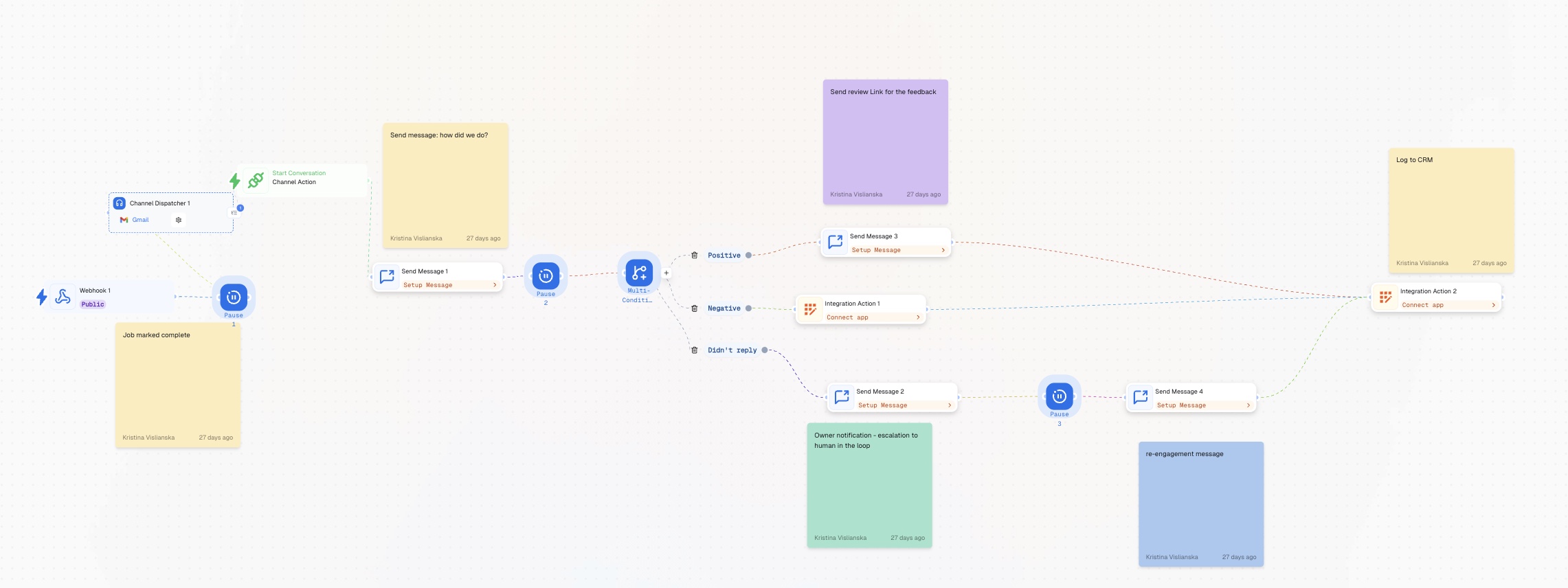
A completed job is the highest-value moment in a customer relationship. The experience is fresh, the outcome is visible, and the customer has an opinion. Most businesses let that moment pass without asking. When feedback isn't collected systematically, positive experiences don't become reviews. Negative ones don't get resolved before they go public. And the customer who was satisfied enough to rebook never hears from the business again. The timing matters. Ask too soon and it feels rushed. Wait too long and the moment is gone. Do it manually and it depends on someone remembering – after every job, every day, without fail. This workflow handles it automatically. A review request goes out at the right time after every completed job. Positive responses get a review link. Negative responses go to the owner before they go anywhere public. No-reply customers get a re-engagement touchpoint. Every outcome logs to CRM.
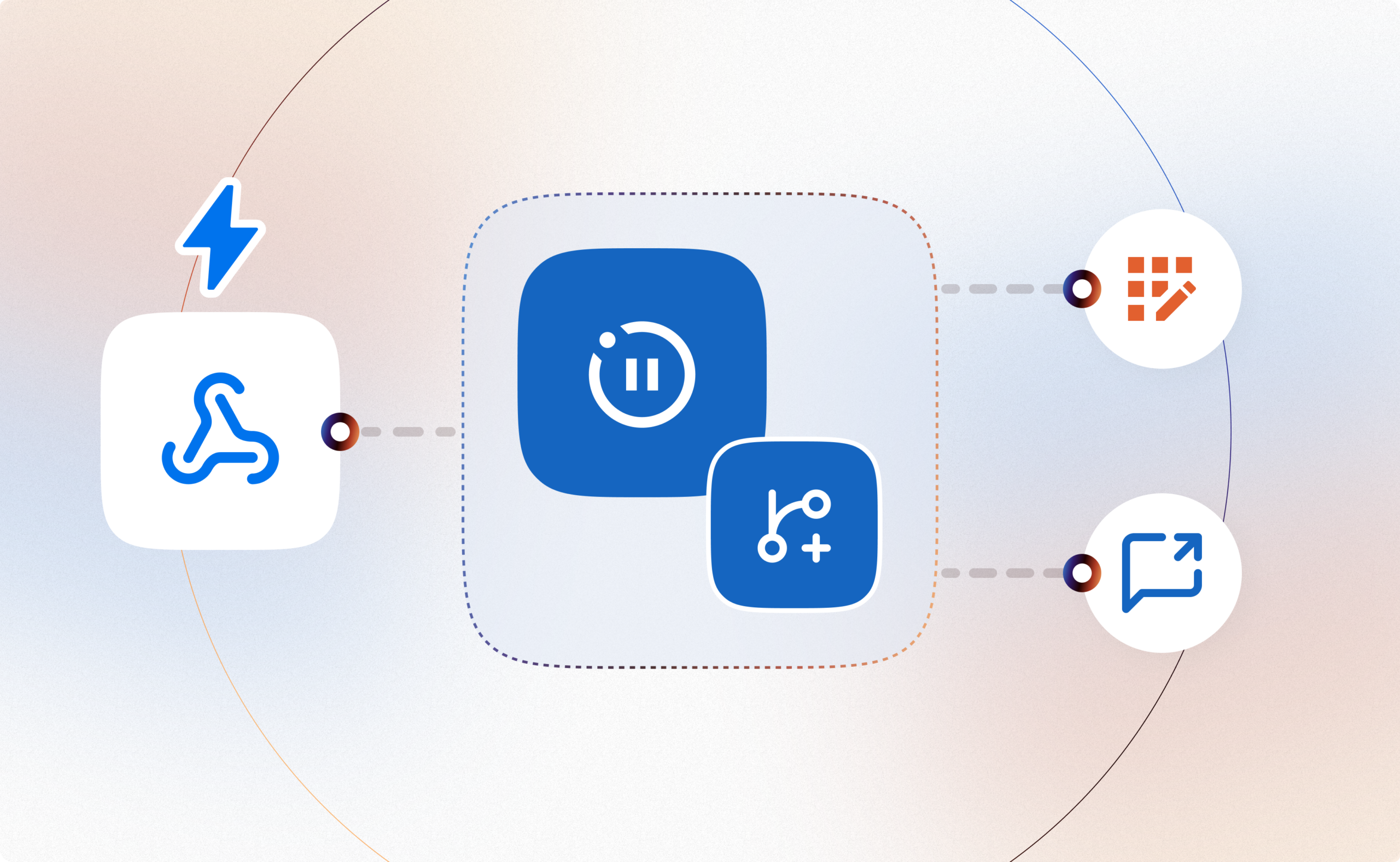
A webhook triggers the flow when a job is marked complete. The moment a job status changes to complete in your scheduling or job management system, Webhook fires and the workflow starts. Pause Node creates a short delay before outreach. The review request doesn't go out immediately – a brief pause lets the experience settle before asking for feedback. Enough time for the customer to notice the work is done, not so long that the moment is gone. Send Message Node asks a simple question. One message: how did we do? Easy to reply to, low friction, no form to fill in. Pause Node waits for a reply. The workflow holds. A Multi-Condition Node then reads the response and routes to one of three paths. Positive -> review link goes out. Send Message Node delivers a direct link to your review platform. App Action Node logs the outcome to CRM. Negative -> owner is notified immediately. App Action Node fires an internal alert. No review link is sent. The negative feedback stays internal and the owner handles recovery directly. The second App Action Node logs the outcome to CRM. Didn't reply -> human escalation, then re-engagement. The owner is notified that this customer didn't respond. Send Message Node goes out as a re-engagement nudge. Another Send Message Node follows as a re-engagement message – a softer touchpoint focused on the next visit rather than the review. Finally, everything is logged as the outcome to CRM via App Action Node.
Your job management system is configured to fire a webhook. When a job is marked complete, your scheduling tool needs to POST to the Webhook URL. The payload should include the customer's name, contact details, job type, and completion date. Have this tested before building. Your review platform link ready. Send Message Node delivers a direct URL to wherever you collect reviews – Google Business Profile, Trustpilot, or equivalent. Have the link ready before configuring that node. Your CRM is connected via App Action Node. All three paths converge here. Have your CRM app connection ready before you reach the final step.
Add Webhook to the canvas and set it to Public. Copy the webhook URL and configure your job management system to POST to it when a job is marked complete. The payload should carry at minimum: customer name, contact number or channel ID, job type, and completion timestamp. These fields are available to the Send Message nodes downstream.
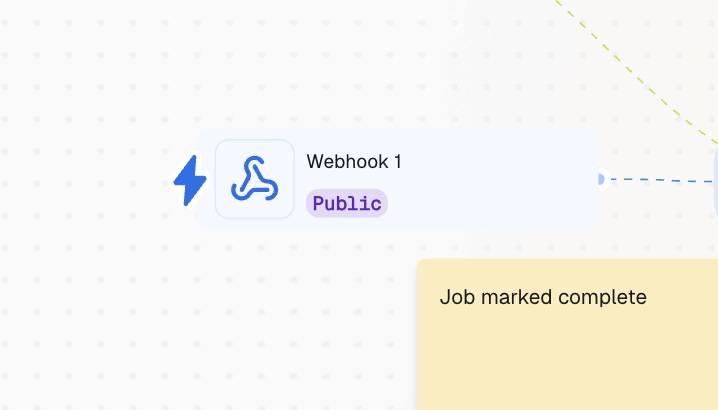
Add a Pause node after Webhook. This is the delay between job completion and the review request going out. 1-2 hours is the right default for most service businesses – long enough for the customer to notice the work is done and form an impression, short enough that the job is still fresh. For jobs that run late into the evening, consider a longer pause so the message arrives the following morning rather than at 10pm.
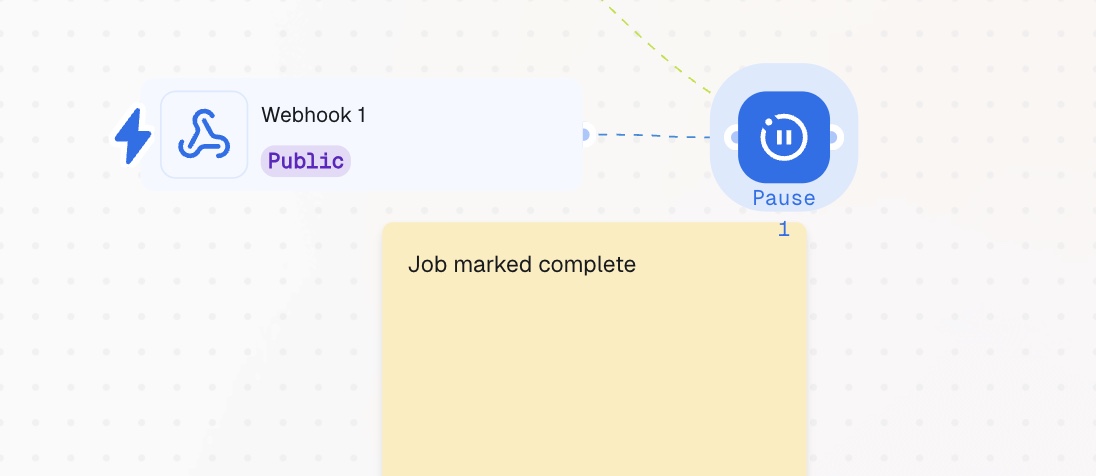
Add a Channel Dispatcher Node to open the Conversation and Send Message node after Pause Node. This is the review request. Keep it short – one question, easy to reply to. A working template: Hi [name], your [job type] is complete. How did we do? Reply with a number from 1 to 5, or just let us know how it went. A numeric scale (1-5) gives the Multi-Condition node a clean value to route on. If you prefer emoji (👍/👎) or a simple positive/negative word, configure the condition logic accordingly – just make sure the format is consistent so the router can read it reliably.
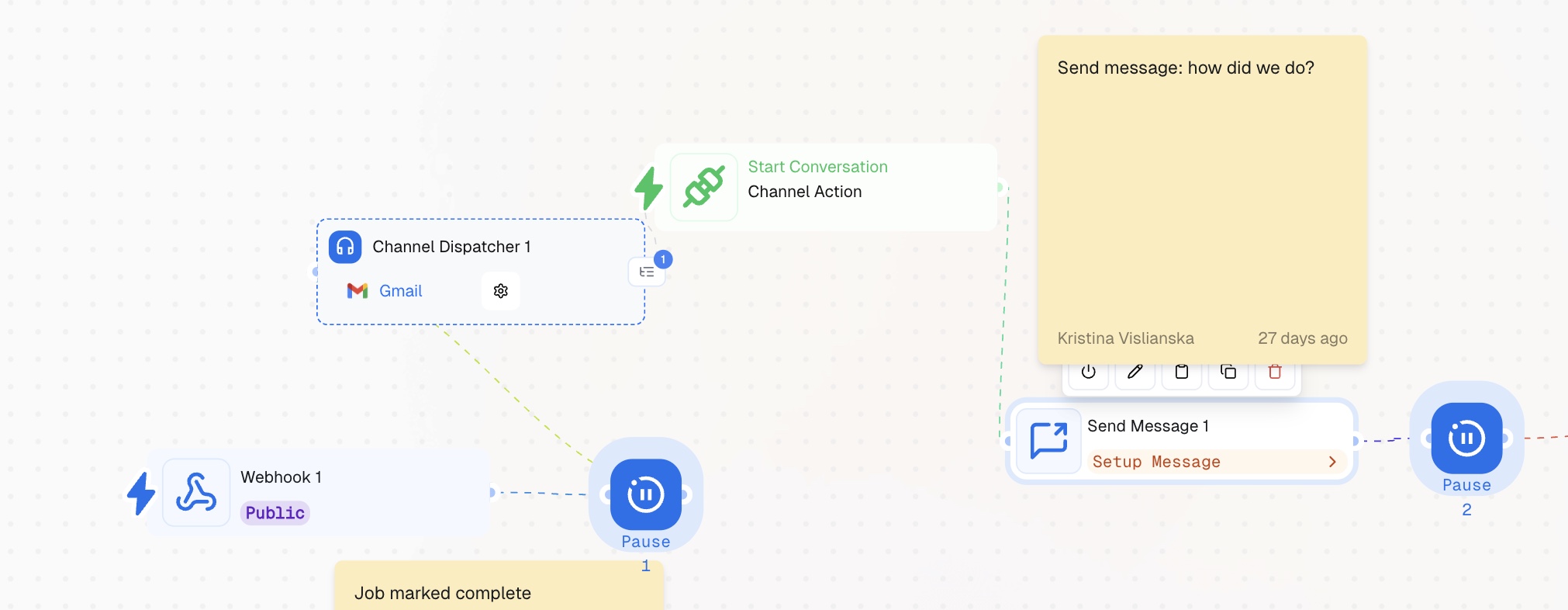
Add a second Pause node after Send Message Node. This pause waits for the customer's reply. Set it to match the window you're willing to wait before treating a non-response as "didn't reply" – 24 hours is a reasonable default.
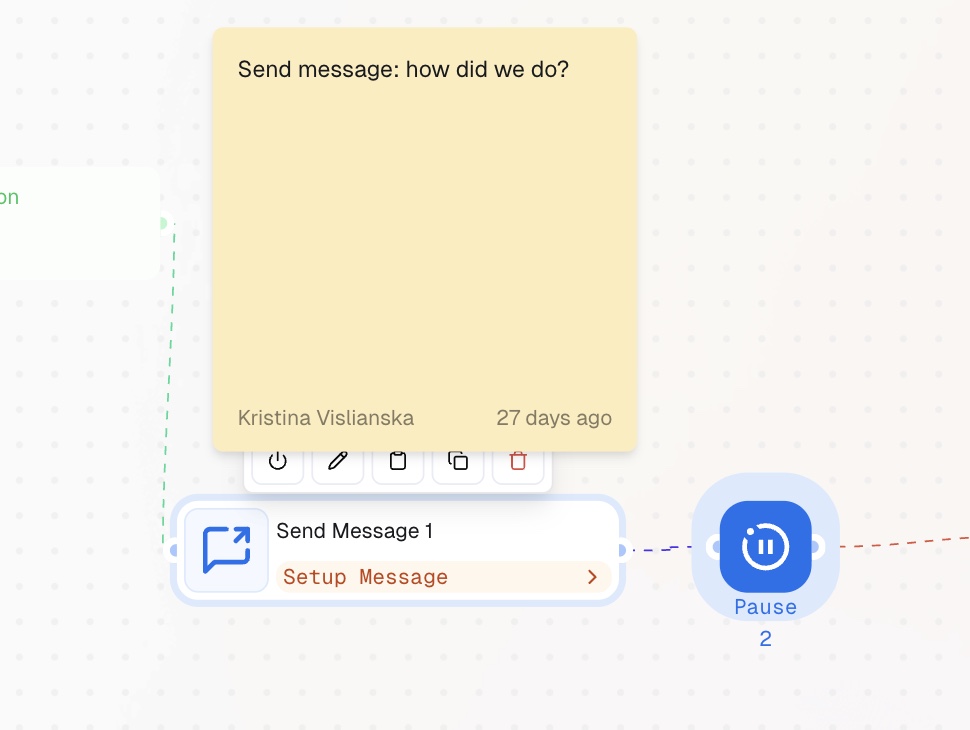
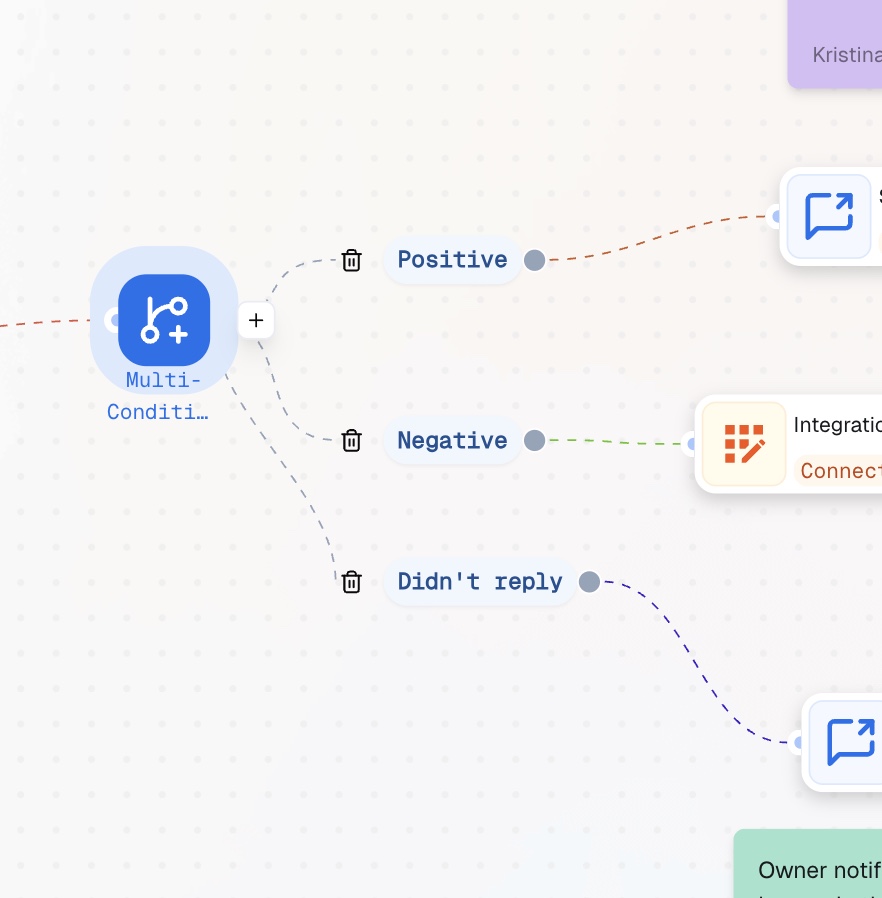
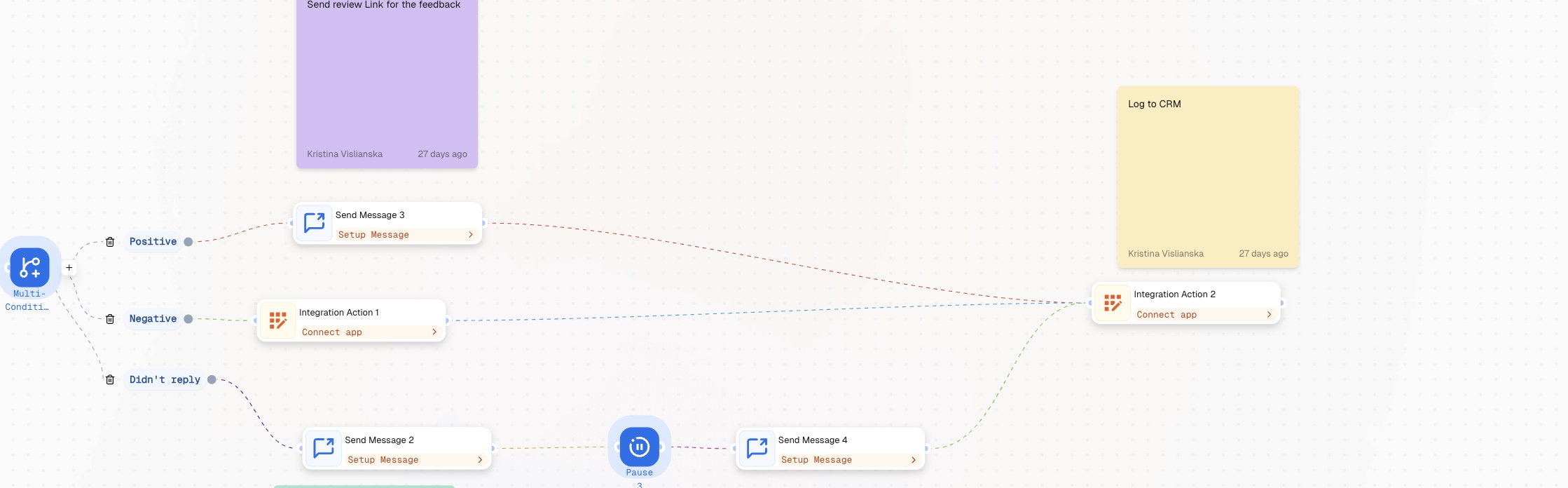
Add a Multi-Condition node after Pause Node. Configure three paths: Positive – reply indicates satisfaction. If using a numeric scale, condition: score is 4 or 5. Connect this path to Send Message Node to send the review link. Negative – reply indicates dissatisfaction. Condition: score is 1, 2, or 3. Connect this path to App Action Node. Notify the owner immediately and handle the communication in person. Didn't reply – no response received within the pause window. Connect this path to the Send Message Node and configure the followup sequence. Here you’d like to send two follow-up messages. Choose one Send Message Node, connect it to “Didn’t reply” thread, add pause node before adding a second follow and set the final Send Message Node as a final follow up in the sequence.
All three paths – Positive, Negative, and Didn't reply – converge at Integration Action Node. Configure it to log: customer name, job type, completion date, review score or outcome, and which path was taken. This gives you a full picture of post-job sentiment across every customer, searchable by job type, date, or outcome.
Before this workflow, post-job follow-up depended on whoever remembered to do it. Positive customers didn't get asked for reviews. Negative ones didn't get a call until the complaint appeared online. Customers who went quiet after a job were simply lost. After this workflow, every completed job enters an automatic sequence. Satisfied customers are directed to leave a review while the experience is still fresh. Dissatisfied customers trigger an owner alert before the situation escalates. Unresponsive customers get a re-engagement touchpoint that keeps the relationship open. The review doesn't get missed. The complaint doesn't go public. The customer who was about to forget you gets a reason to come back. Follow other guides and reproduce easy step by steps.