Abandoned Form Recovery
Stop losing leads at the last step. Let AI detect partial form submissions and trigger friendly follow-ups.

Core Automation Capabilities
-

Real-Time Partial Form Detection
-

Automated Contact Capture
-

Reminder & Assistance Email Triggers
-

Personalized Follow-Up Messaging
-

Recovered vs. Abandoned Lead Reporting
-

Continuous AI Optimization of Messaging
Every Partial Form Submission Is a Conversion Opportunity Waiting to Be Recovered
-
Manual Follow-Up Fails
Teams rarely notice abandoned forms in real time and often miss chances to engage leads while interest is high
-
Lost Leads Reduce Revenue
Every incomplete form could have been a conversion—missed follow-ups mean lost opportunities and wasted marketing spend
-
Slow or Generic Outreach
Manual reminders are delayed, impersonal, or forgotten, reducing the likelihood of successful recovery
How It Works
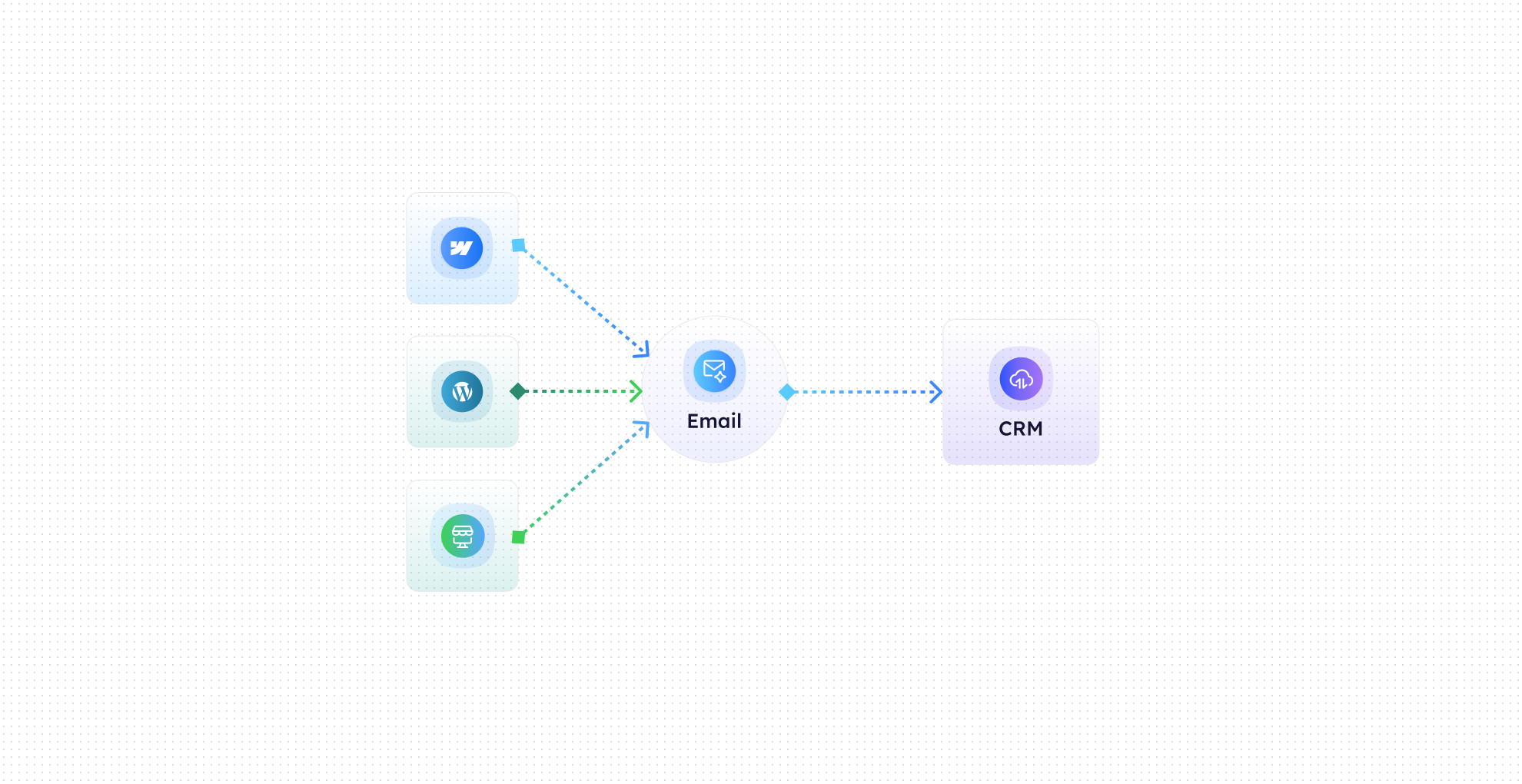
-
Partial Submission Detection
CogniAgent tracks started-but-not-submitted forms in real time across your website, landing pages, or pop-ups.
-
Contact Capture
Automatically saves any available information entered before abandonment, such as email, name, or phone number.
-
Automated Follow-Up
Sends reminder, assistance, or incentive emails to encourage the lead to complete the form.
-
Personalization & Timing
AI determines optimal timing and messaging to maximize the likelihood of conversion.
-
Recovery Reporting
Tracks recovered leads versus fully abandoned forms, giving insights into which forms and campaigns need improvement.
-
Continuous Optimization
Learns which follow-up messages perform best and adjusts messaging automatically for future abandonments.
The Real Impact for Marketing Teams
| Metric | Before Automation | After (With AI Agent) |
|---|---|---|
| Partial forms recovered | 5–10% | 50–70% |
| Time spent on follow-up | 2–4 hrs/day | <10 mins/day |
| Leads lost to abandonment | High | Reduced by 60–80% |
| Follow-up response rate | 10–15% | 40–60% |
| Manual monitoring effort | 100% | Fully automated |
Step-by-Step Setup
-
Step 1
Connect your forms, landing pages, and CRM to CogniAgent.
-
Step 2
Configure which follow-up messages should be triggered and when, including personalization options.
-
Step 3
Enable real-time abandoned form detection and automated email follow-ups.
-
Step 4
Monitor recovery performance in your dashboard and optimize messaging based on AI-driven insights.
AI Industry News
and Insights


Frequently Asked Questions
CogniAgent works with website forms, landing pages, pop-ups, multi-step forms, and even e-commerce checkout fields. Any partially submitted form can be detected and recovered.
Yes. Emails can include the lead’s name, form data, and any other context captured during the partial submission. Timing and messaging are optimized automatically by AI.
As soon as a partial submission is detected, CogniAgent can send a reminder or assistance email within minutes, maximizing the chance of conversion.
Yes. The dashboard shows recovered vs. fully abandoned leads, form-by-form performance, and conversion rates for optimized reporting and decision-making.
Yes. All registrant and lead data is encrypted in transit and at rest, with role-based access controls. CogniAgent complies with all the necessary standards to protect your information.