AI Use Cases in Real Estate

Property Inquiry Auto-Response
Send personalized property information the moment a buyer requests it
 No Commitment
 Get a Bonus
Every Property Inquiry Is a Critical Moment
Slow Responses Kill Engagement
Buyers expect instant information. Even a 10–15 minute delay dramatically reduces reply and showing rates.
Agents Can’t Manually Respond to Every Lead
When multiple inquiries arrive at once, agents prioritize calls—leaving many online leads unanswered.
Inconsistent Information Sent to Buyers
Manual replies lead to outdated pricing, missing photos, or incorrect availability details.

How It Works
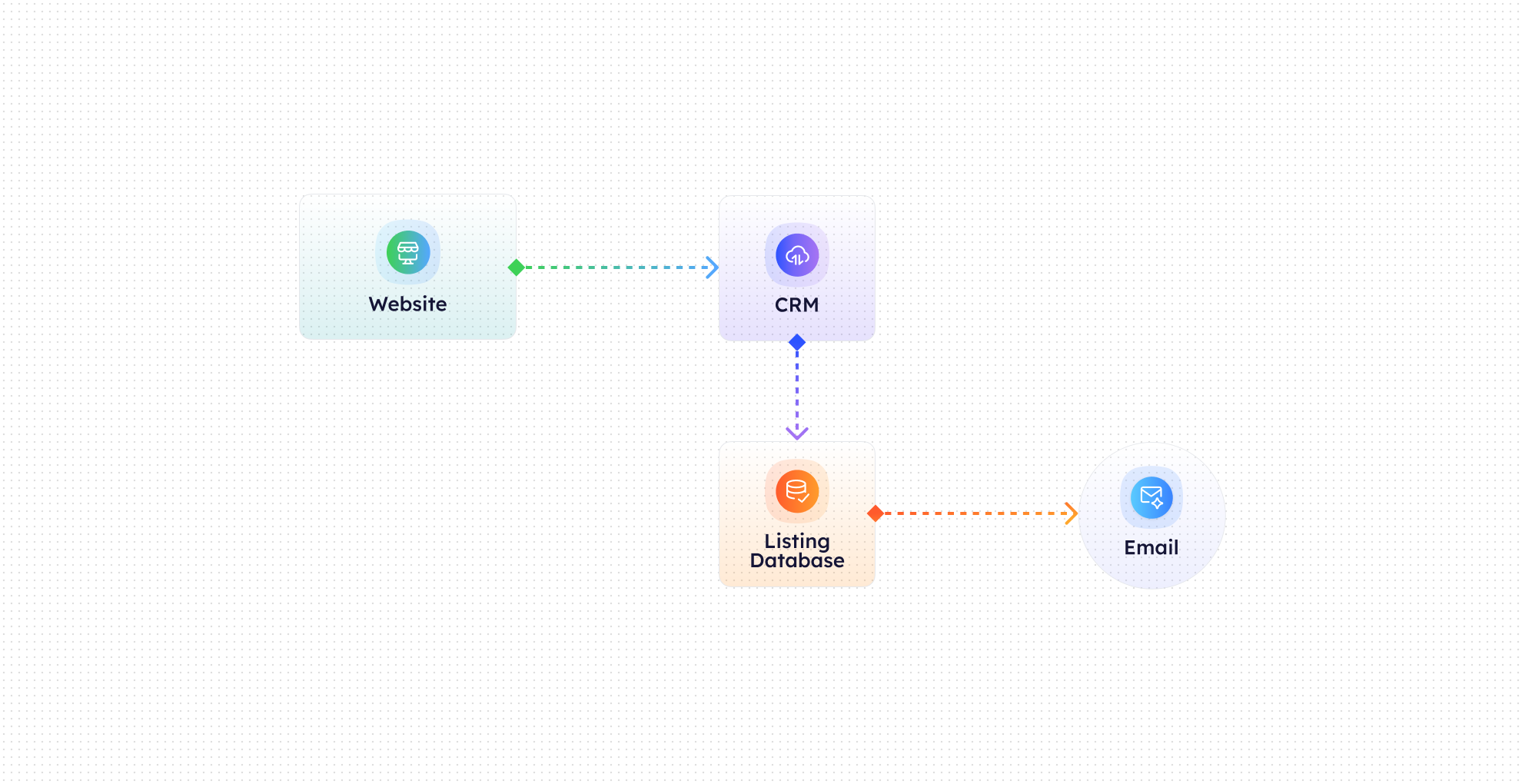

Inquiry Detection
CogniAgent captures property inquiries from listing pages, contact forms, and portals the moment they’re submitted.

Property Data Lookup
Pulls live data from your MLS or CRM, including photos, pricing, availability, address, and key features.

Personalized Auto-Response
Sends an instant, branded email with complete property details tailored to the buyer’s request.

CRM Logging
Records the inquiry, response, and engagement activity directly in your real estate CRM.

Agent Notification
Alerts the assigned agent that a response has been sent and the engagement is underway.

Follow-Up Ready
Agents can step in at the perfect moment with context, history, and buyer intent.
The Real Impact for Real Estate Teams
Metric
Before Automation
After (With AI Agent)
First response time
30–120 minutes
Under 10 seconds
Lead engagement rate
25–35%
60–75%
Showing request rate
10–15%
25–40%
Agent manual replies
100% manual
0% manual
Accuracy of property info
Inconsistent
100% synced
Leads contacted within 1 minute
<20%
>95%
Lead drop-off rate
High
Reduced by 40–60%
Core Automation Capabilities

Instant Property Inquiry Detection

MLS & CRM Data Sync

Personalized Auto-Response Emails

Photo, Pricing & Availability Insertion

Agent Alerts & CRM Activity Logging

Custom Templates by Property or Listing Type
Step-by-Step Setup
Step 1
Connect your MLS or real estate CRM and website inquiry forms.
Step 2
Customize auto-response templates with branding, property details, and agent signatures.
Step 3
Define which inquiries trigger instant responses and which require agent review.
Step 4
Go live - buyers receive immediate, accurate property information every time they inquire.