AI Use Cases in Real Estate

Property Data Enrichment
Provide buyers with accurate, detailed property information while keeping your team’s records complete and up-to-date
Accurate Property Data is Critical for Buyer Trust
Manual Research Wastes Time
Agents spend hours looking up tax records, school ratings, neighborhood stats, and other details for every listing.
Incomplete Listings Hurt Engagement
Buyers expect detailed property data, missing or inaccurate information can reduce inquiry and showing requests.
Data Inconsistency Across Systems
Listing sheets, CRM, and marketing platforms often have mismatched or outdated data, creating errors and inefficiencies.

How Property Data Enrichment Works
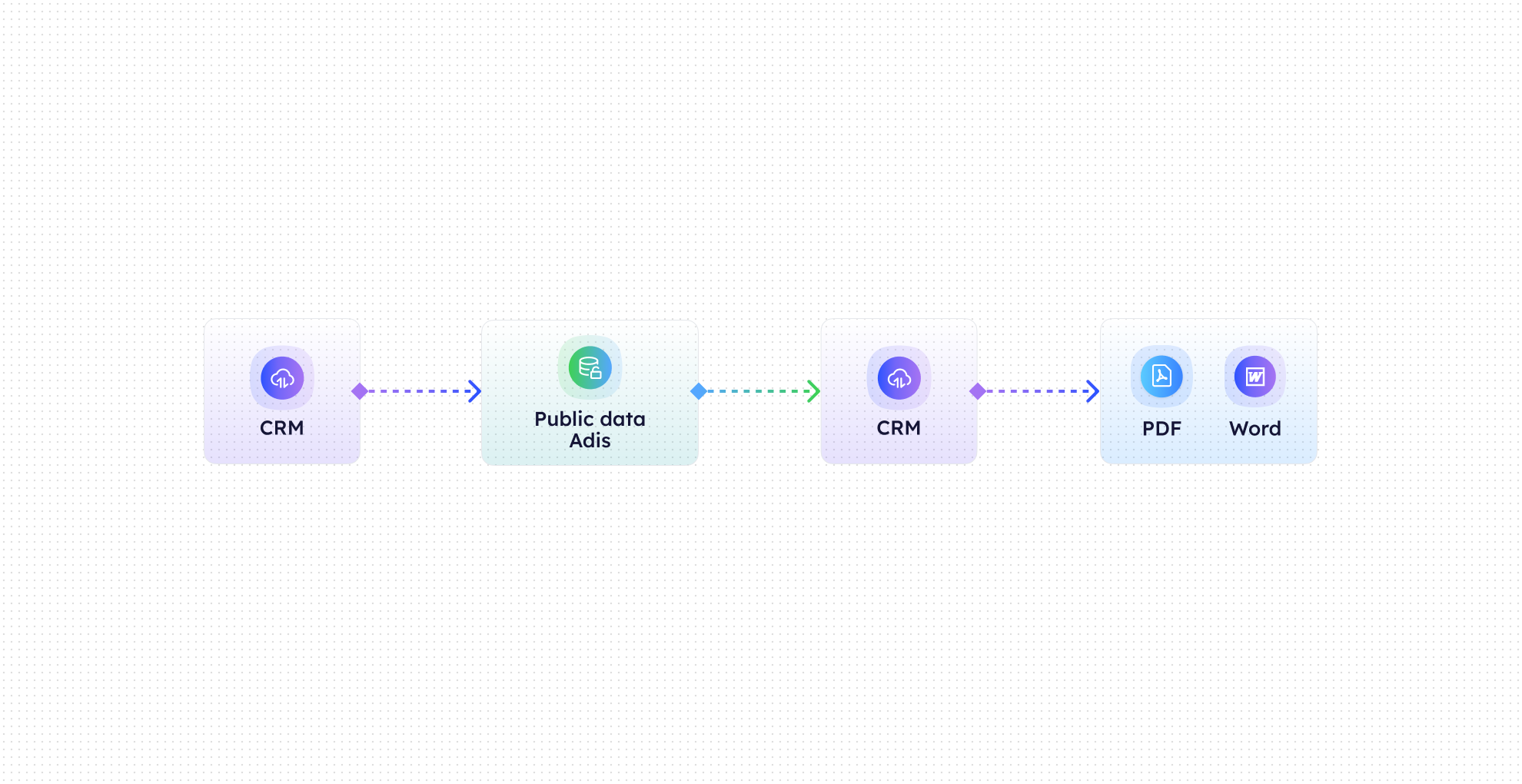

Auto-Fetch Public Records
CogniAgent pulls tax, ownership, and municipal records automatically.

Neighborhood & School Data
Appends school district information, ratings, and relevant neighborhood statistics.

Property Details Integration
Adds enriched data directly to your CRM or listing sheets, ensuring consistency across systems.

Custom Field Mapping
Map incoming data to CRM fields or MLS listings for seamless integration.

Data Refresh Automation
Periodically updates property details to maintain accuracy over time.

Insight & Reporting
Track which properties were enriched and ensure all listings are consistently complete.
Results You’ll See in Your Brokerage
Metric
Before Automation
After (With AI Agent)
Time spent researching property details
2–5 hrs per listing
<10 minutes per listing
Listings with complete data
60–70%
100%
Buyer engagement per listing
Moderate
+25–40%
CRM record accuracy
Partial
Fully updated
Marketing errors due to missing info
Frequent
Near zero
Agent data entry effort
High
Fully automated
What This Automation Handles for You

Automatic Tax Record Lookup

School District & Rating Data Integration

Neighborhood & Demographic Stats

CRM & Listing Sheet Enrichment

Custom Field Mapping & Updates

Ongoing Property Data Refresh
Quick Setup / Onboarding Timeline
Step 1
Connect your CRM, MLS, or listing sheets to CogniAgent.
Step 2
Select the datasets you want to pull: tax records, school ratings, neighborhood statistics, or other public sources.
Step 3
Map fields so the enriched data integrates directly with your listings and CRM.
Step 4
New and existing listings are automatically enriched, and records stay up-to-date with periodic refreshes.