
Sales
AI Quote Sending Agent
Receives prepared quote details and validates the customer information before sending the cleaning quote by email. If manual attention is required, the agent alerts the sales team so the lead isn't left unhandled.
See it work
An illustrated example run. Click any tile to see what it handles.
Sales
AI agent
Gmail
Customer
Press Play to watch an example run.
Bring prepared quote details into the workflow for validation before sending.
How it works
- Trigger: The workflow starts when an "Approved quote ready to send" event is received, carrying the approved quote details — including quote_id (e.g., Q-2026-001), currency (e.g., EUR or €), and frequency (one-time, weekly, fortnightly, monthly, or agreed schedule), along with the other parameters defined for the quote.
- If True:
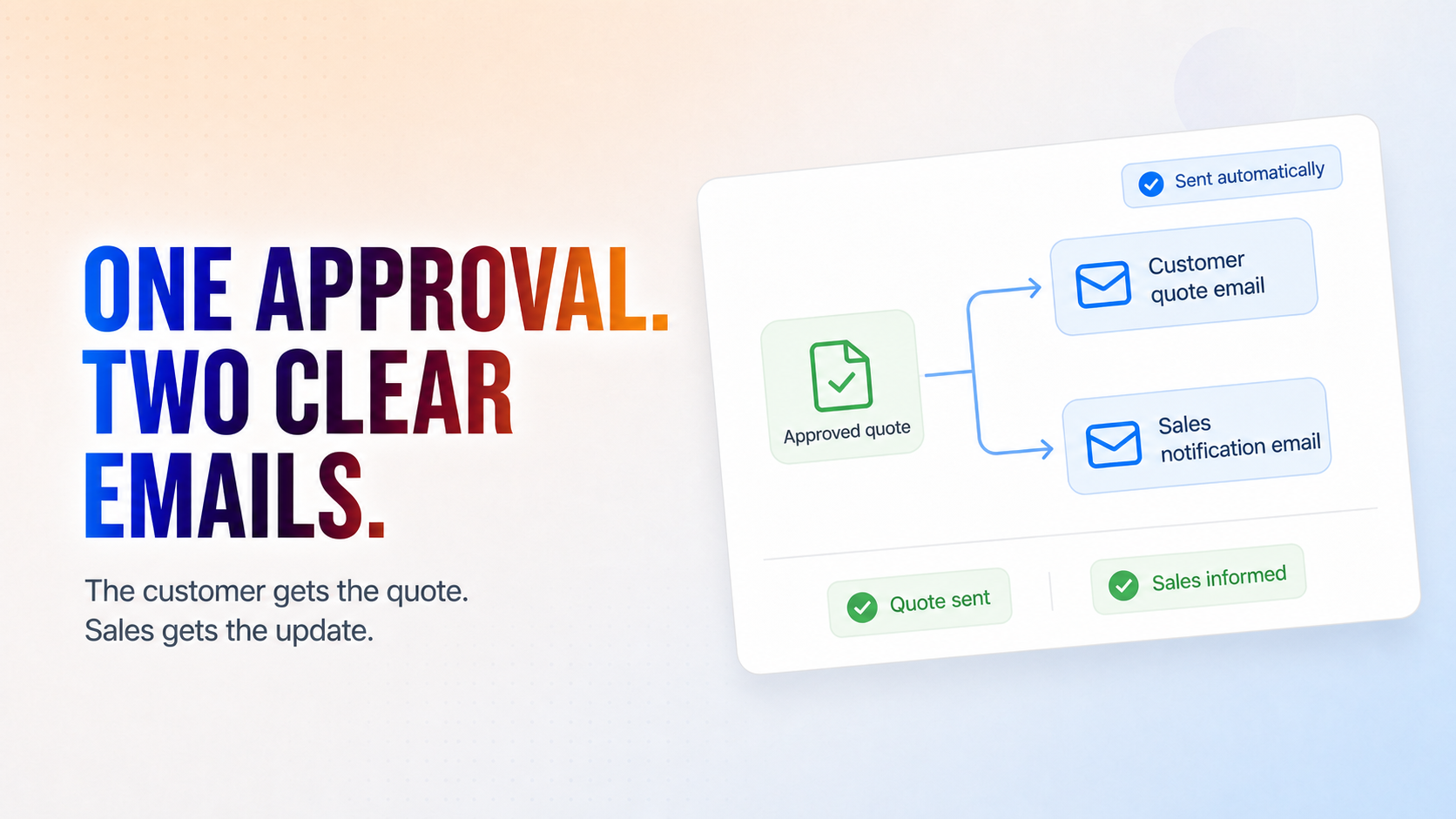
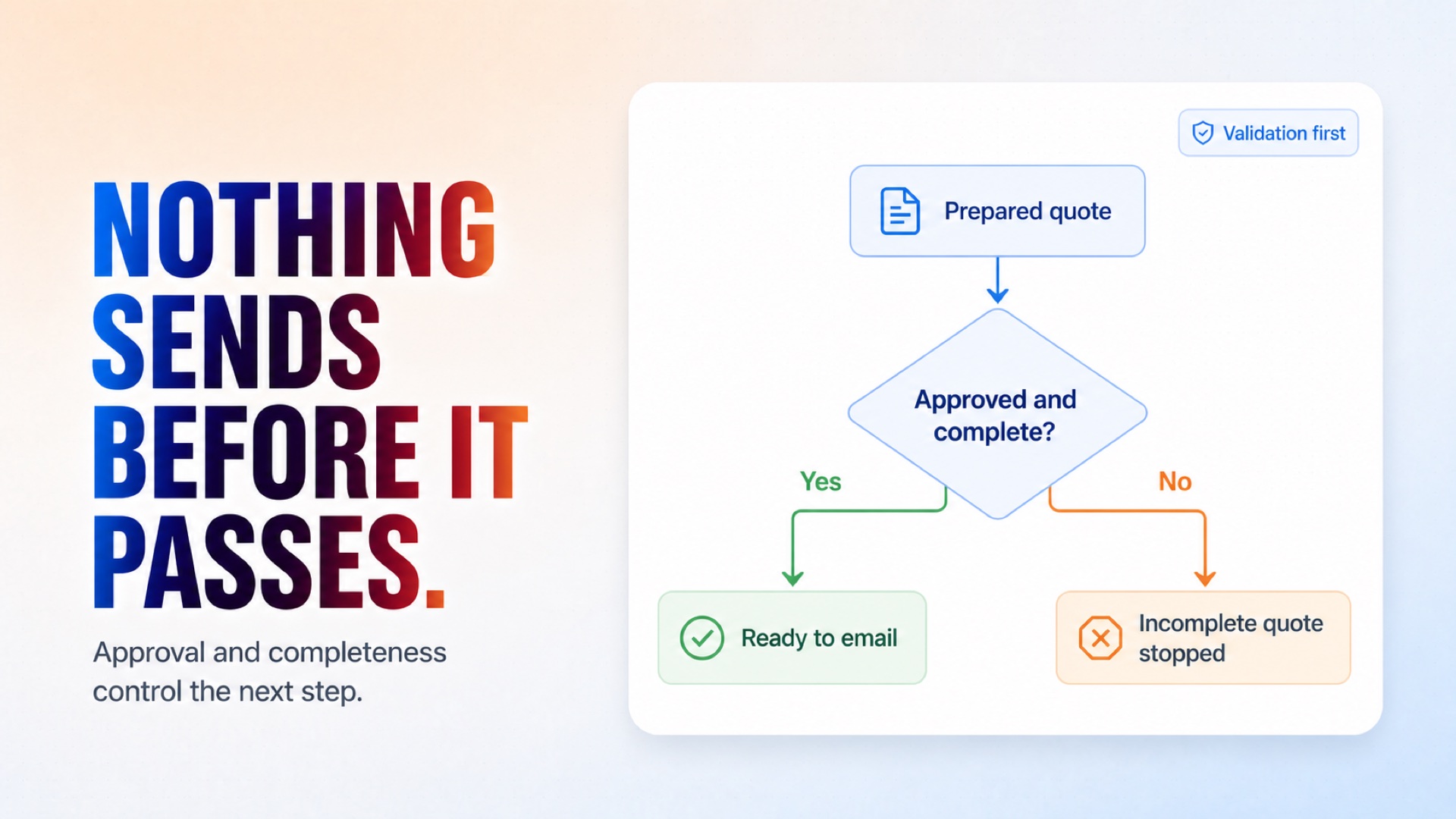
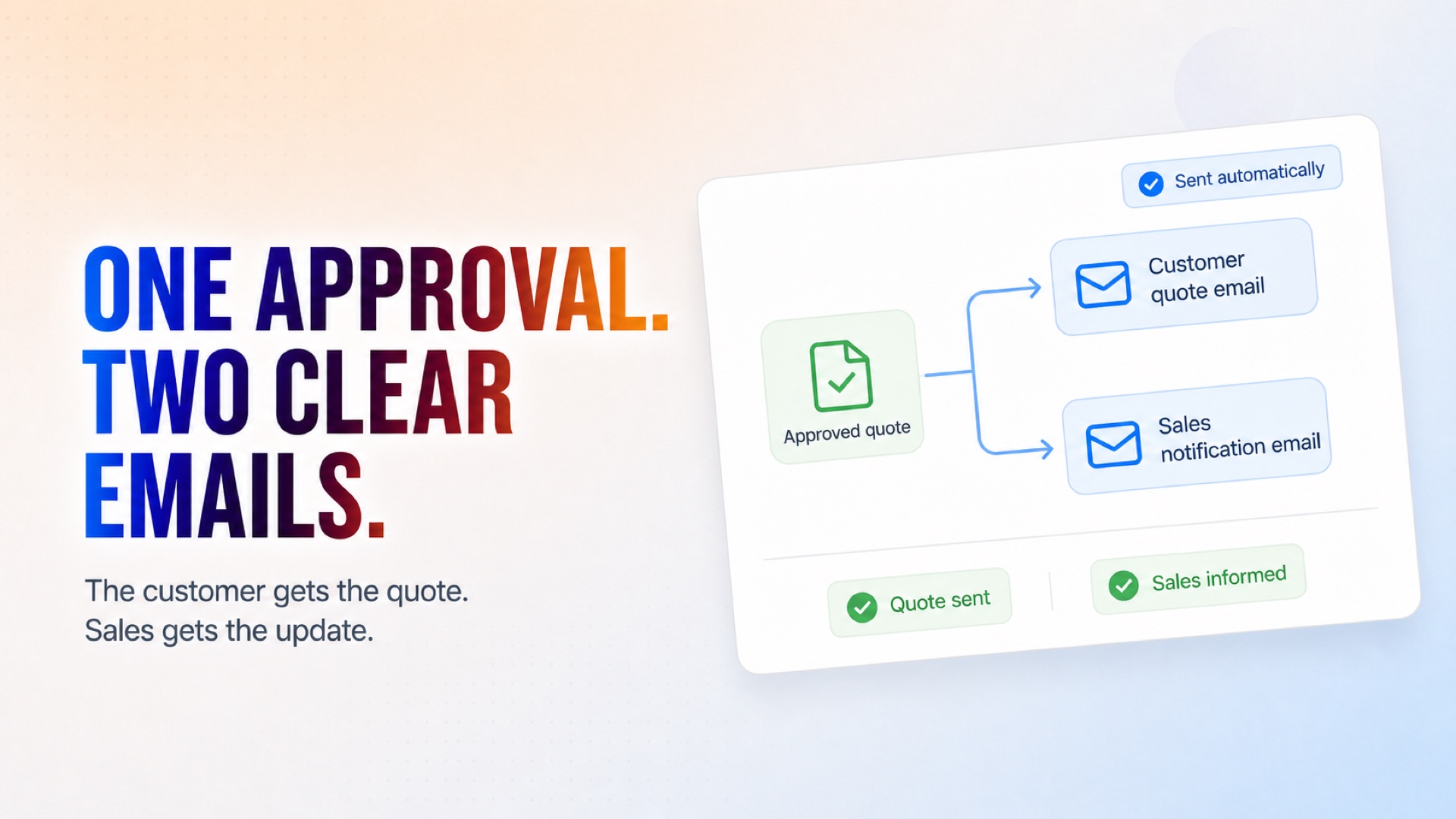
Sends the approved quote to the customer via Gmail ("Email approved quote to customer").
Notifies the sales team via Gmail that the quote was sent ("Notify sales that quote was sent"). - If False:
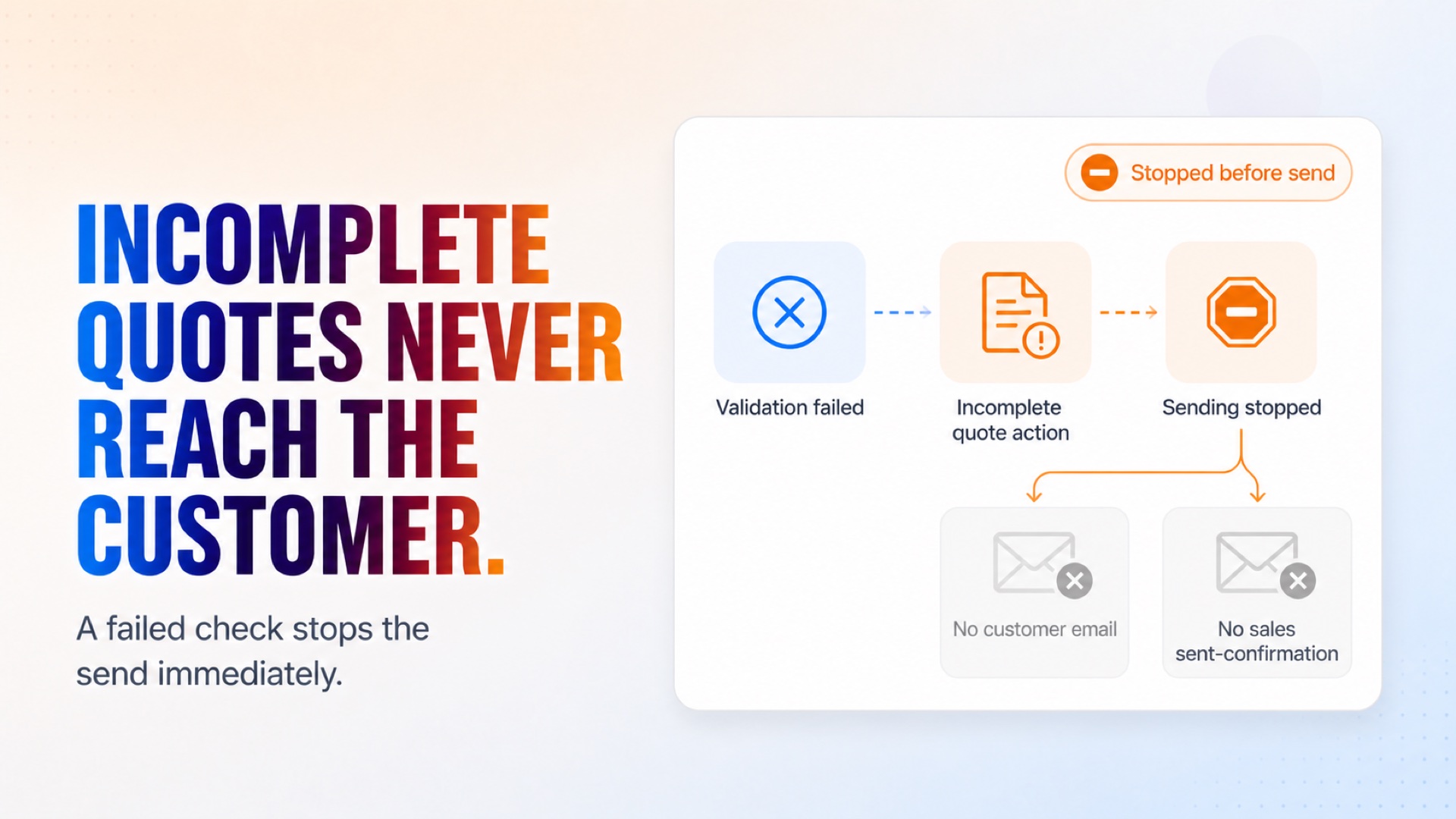
Stops the process with an "incomplete quote" action, preventing an unfinished or unapproved quote from being sent out.
What's included
Everything a copy brings into your workspace.
1
workflow
What you'll need
Connect: Gmail
Fill in, now or later: Currency, quote_id, frequency, quote_link, sales_email, valid_until, quote_amount, quote_amount, customer_name, service_scope, customer_email, service_address, Quote email body, Quote email subject, Send the quote to, Sales notification body, Sales notification subject, Notify sales at
What it does
The key things this agent does for you.
Approved quotes emailed to customers automatically
Incomplete quotes stopped before they reach a customer
Sales team notified the moment a quote goes out
No manual quote-sending needed
Installation
What setting this up involves.
Connect your Gmail account — Authorize the Gmail connection so the agent can send quotes and notifications on your behalf.
Set up the entry point — Configure the "Approved quote ready to send" trigger with your required parameters (e.g., quote_id, currency, frequency, and other quote details).
Review the quote validation step — Confirm the completeness check reflects what counts as an "approved" quote for your business.
Customize the email templates — Update the customer quote email and the sales team notification email with your messaging.
~4 min to launch
Free to start. Create your free account, then set it up.
Connect 1 tool, fill in a few details, and install it. No coding.
FUNCTION
SalesTAGS
Built by CogniAgent
Official agent